Anthropic's Claude training is free on its course site, Claude Academy, with a free Claude account, though some course pages ask for a paid Claude plan or API access. This guide is for the learning and development (L&D) lead asked to train a company on Claude. It covers which courses fit which staff, what admins see, what the courses leave to your company and how to plan the rest. It matters because, in the words of Anthropic's own administrator guide, "adoption depends on whether people know how to use it effectively."
Gnar has two programs next to those courses. The Gnar Company’s AI workshop is a free series of eight live sessions on Google Meet for non-technical business leaders. The Immerse cohort on Gnar's AI training for engineering teams page is for engineers.
What is Anthropic Academy, and how do you join it?#
Anthropic Academy is the name on the header of Anthropic's old course site. The free course site now calls itself Claude Academy. You join it by signing in with a Claude account at Claude Academy, which the address anthropic.com/learn opens as of November 2026.
Both names still appear on Anthropic's pages. The old course site at anthropic.skilljar.com is titled "Anthropic Courses," and its header reads "Anthropic Academy." The new site is titled Claude Academy. Its FAQ calls it "Anthropic’s home for learning, with structured courses and tutorials on AI and Claude."
The site holds short tutorials as well as courses. The tutorials page offers "written guides and video lessons, from quick tasks to complex workflows". Its groups include Claude, Claude Cowork, Claude Code, How AI works and Collaborating with AI.
Several tutorials are short enough for a beginner's first week. On November 17, 2026 the page listed these:
- Getting started with Claude, 5 minutes.
- Intro to Projects, 7 minutes.
- Getting started with connectors, 4 minutes.
- Teach Claude your way of working using skills, 10 minutes.
- What happens when you talk to AI?, 5 minutes.
- Can you trust what AI tells you?, 5 minutes.
Some course lessons include video. The FAQ says "Some lesson videos also have a transcript." Staff who work in another language may want dubbed video. The FAQ says "Most videos in Claude 101 and AI Fluency: Framework and foundations are dubbed in German, French, Japanese, and Korean."
The old course site is closing. As of November 2026, the FAQ says "Our old course site, anthropic.skilljar.com, closes in early December." Learners can import their history with a Claude account that uses the same email. Certificates then "appear here as completion badges with their original dates."
Joining takes a Claude account. The FAQ says to "click “Sign in”, authorize at claude.ai, and you’re back." If you have no account yet, it says to create one first at claude.ai.
Staff in a company organization can hit one more step. If Academy says a person has not been added to the organization, the FAQ's answer is "Ask your organization’s Claude admin to add you." The person then signs out of claude.ai, signs back in and re-authorizes Academy.
Is Anthropic's Claude training really free?#
Yes, Anthropic's Claude Academy is free, and Claude Academy's FAQ says "It’s free: you can browse the catalog without signing in at all, and signing in with a free Claude account is what saves your progress and lets you earn completion badges."
The same answer adds: "You don’t need a paid plan, and you don’t need a work account. A personal Claude account works." The home page describes the catalog as "Free courses, tutorials, and use cases from Anthropic’s education team."
The catalog holds more than courses. As of November 17, 2026, its All resources page lists "324 resources," and it filters them into courses, tutorials and use cases.
Some courses and parts of courses need a paid plan or API access:
- Claude 101. Its page lists "A Claude account on any plan (Free, Pro, Max, Team, or Enterprise)." A few parts need a paid plan to try hands-on, and the page names "Cowork and Research (Pro, Max, Team, and Enterprise plans) and Enterprise Search (Team and Enterprise plans)."
- Introduction to Claude Cowork. Its page lists "A paid Claude plan (Pro, Max, Team, or Enterprise)" before you start.
- Claude Code 101. Its page names a Claude account on a "Pro, Max, Ultra, Team, or Enterprise" plan, or an API key.
- Claude Platform 101. Its page says "You'll need a Claude Console account and an API key from platform.claude.com." It also says to check for credit on the Console's Billing page before your first API call.
Budget for the plans and API credit those pages name.
One more cost is time, and the listed hours are estimates. The FAQ says "Listed durations are estimates to help you plan," and completion rests on working through the lessons and passing the quizzes.
Which free Claude courses fit which people in your company?#
Everyday staff fit Claude 101, and staff who move work between files and apps fit Introduction to Claude Cowork. AI Fluency: Framework and foundations fits everyone as the shared framework. Team leads in companies that already use AI one person at a time fit Building effective human-agent teams (beta). The rollout owner fits Deploying Claude Enterprise with confidence, and engineers new to coding agents fit Claude Code 101.
The table maps each group to one course. Lengths come from the Claude Academy courses page as listed on November 17, 2026.
| Group in your company | Free course | Listed length |
|---|---|---|
| Everyone at work | Claude 101 | 2.5 hr |
| Staff who work across files and apps | Introduction to Claude Cowork | 2.5 hr |
| Everyone, as a shared framework | AI Fluency: Framework and foundations | 4 hr |
| Team leads | Building effective human-agent teams (beta) | 45 min |
| The person running the rollout | Deploying Claude Enterprise with confidence | 2.5 hr |
| Engineers new to coding agents | Claude Code 101 | 1.5 hr |
Each pairing comes from the course's own page:
- Claude 101 is for "Anyone getting started with Claude at work." Its page calls it "the starting point for anyone bringing Claude into their everyday work." It also covers the three kinds of work in the Claude desktop app: "working turn by turn, handing work off, and building software."
- Introduction to Claude Cowork is for "Knowledge workers whose day is spent moving information between files, apps, and tools."
- AI Fluency: Framework and foundations teaches "the 4D framework: Delegation, Description, Discernment, and Diligence." The small business version of the course recommends taking it first.
- Building effective human-agent teams (beta) is for "team leads and innovators whose organizations already use AI in single-player mode." It says "No technical background needed."
- Deploying Claude Enterprise with confidence tells its reader "You’re setting Claude up for your company and you’re the one who’ll keep it running."
- Claude Code 101 is for "New developers entering software engineering who want AI-assisted workflows from the start, and experienced engineers curious about coding agents but who haven't taken the plunge yet."
What the AI Fluency course teaches every group#
AI Fluency: Framework and foundations is the course every group shares. Its page says it teaches people to "collaborate with AI effectively, efficiently, ethically, and safely using the 4D framework."
Three of its listed goals matter most to an L&D lead:
- Three ways of working. "Distinguish Automation, Augmentation, and Agency as three ways of engaging with AI."
- Responsibility. "Practice Creation, Transparency, and Deployment Diligence to take responsibility for AI-assisted work."
- Checking output. "Evaluate AI outputs, processes, and behavior critically and refine results through the Description-Discernment loop."
The framework did not start at Anthropic. The course page says "Rick and Joe developed the AI Fluency Framework in 2023-2024." They are professors Rick Dakan of Ringling College of Art and Design and Joseph Feller of University College Cork.
The small business course, which builds on this one, adds a practical piece. AI Fluency for small businesses lists a goal to "Draft an AI use policy for your business that addresses transparency, accountability, and concerns about AI dependency."
Which Anthropic courses fit engineers and developers?#
Engineers who are new to coding agents fit the Claude Code 101 course. Engineers who already use Claude Code for single prompts fit Claude Code in action. Engineers who repeat the same instructions fit Introduction to agent skills, and developers building Claude into their own applications fit Claude Platform 101.
| Course | Who it fits | Listed length |
|---|---|---|
| Claude Code 101 | New developers, and engineers new to coding agents | 1.5 hr |
| Claude Code in action | Developers who use Claude Code for single prompts | 1 hr |
| Introduction to agent skills | Engineers who repeat the same instructions | 1 hr, no badge |
| Claude Platform 101 | Developers building Claude into their own apps | 1.5 hr |
What does the Claude Code course cover?#
Claude Code 101 starts with how a coding agent works and ends with "a setup tailored to how you actually work." It explains the agentic loop as "gather context, take action, verify results," and then the tools and permissions that govern each step.
The course covers installing Claude Code "in the terminal, inside VS Code or JetBrains, in Claude Desktop, or on the web."
Its lessons, as the course page lists them:
- What is Claude Code? How Claude Code works.
- Your first prompt. Installing Claude Code and writing a first prompt.
- Daily workflows. The explore, plan, code, commit workflow, context management and code review.
- Customizing Claude Code. The CLAUDE.md file, subagents, skills, MCP and hooks.
Context management is taught through slash commands. One goal reads "Manage your context window with /compact, /clear, and /context." Another reads "Connect external tools and data sources using MCP servers."
The course asks for "Basic familiarity with a code editor and the command line." It also needs a paid Claude plan or an API key, as the free section above lists.
Claude Code in action and the skills course#
Claude Code in action is the next course for engineers who already use Claude Code. Its page says it is for "Developers who already use Claude Code for single prompts and want to move to longer, less supervised, team-wide workflows." It asks for "Basic familiarity with Git and the command line."
Two of its goals deal with team rules and pull requests. One is to "enforce the non-negotiable rules with hooks." Another is to "wire Claude into pull requests with managed code review and the GitHub action."
Introduction to agent skills covers "reusable markdown instructions that Claude applies automatically to matching tasks." Its page says "Instead of pasting the same guidance into every prompt, you write it down in a place Claude Code reads automatically when a request matches." One goal is to "Create a skill from scratch with valid SKILL.md frontmatter and verify it loads." This course lists "No completion badge."
Claude Platform 101 for developers building on the API#
Claude Platform 101 is for "Developers who've used Claude in a chat window and want to build it into their own applications." It is the course for teams putting Claude inside their own software.
It asks for "Comfort reading and writing code in at least one language, plus basic command-line familiarity." It also needs the Console account, API key and credit listed in the free section above. One goal is to "Extend an agent with Anthropic's built-in tools (web search, code execution, web fetch), Skills, and MCP servers." The page adds that "Most lessons include a code demo you can adapt for your own projects."
Our guide to Claude Code training for engineering teams covers the shared files that training should leave in your repository.
What can an L&D lead see in Claude Academy?#
An L&D lead with the right role can open Org reports. The role is Owner or Admin of the Claude organization, or a custom role with the Analytics permission. The reports list the courses each member enrolled in, their status, their email or account ID, and their dates. The dates cover enrolling, finishing and earning a badge. Academy's FAQ says the reports never show quiz scores, attempts or time spent.
The FAQ names who can open the report. It "opens for your Claude organization’s Primary owner, Owners, and Admins, and for members whose custom role includes the Analytics permission."
The download has "One row per learner per course." Each row carries the learner's account ID and email. The FAQ adds that "Some rows have an empty learner_email." It also carries the course, its state and three dates. The states are "Enrolled, In progress, Completed, Badge earned, or Withdrawn," and times are in UTC.
The FAQ says "Each course counts toward the organization the learner was signed in with when the course was first added to their Academy history." A course started on a personal account does not show up until the learner moves it. The FAQ says a learner can move those courses if the personal account "uses the same email address as your company sign-in." It adds, "Courses can’t be moved between Claude accounts with different email addresses."
That makes sign-in an instruction to send staff before their first course. The FAQ's fix for a person who used a personal account reads: "sign out of claude.ai, sign back in through your company’s SSO, then re-authorize Academy." SSO means single sign-on. The NIST glossary describes it as "An authentication process by which one account and its authenticators are used to access multiple applications."
Two more lines from the FAQ shape the report:
- Leavers drop out. "When someone leaves your organization, their rows disappear from the report, including past completions and badges."
- Personal courses stay personal. "Courses that count toward your personal account aren’t visible to any organization."
Academy also has an admin setting called Claude in Academy. It controls "asking Claude questions about what they’re learning, and the lesson tools that turn a passage into a diagram or quiz them on it." The FAQ says "There’s no separate charge. A question asked in Academy counts toward that member’s normal Claude usage, the same as a chat message."
Can you load Claude Academy courses into your own LMS?#
Anthropic does not provide Claude Academy courses for companies to host in their own learning management system (LMS). Claude Academy's FAQ answers the question directly: "No, we don’t offer content licensing or provide courses to host internally. You’re welcome to link to Claude Academy courses from your own site or learning platform instead."
The admin guide has its own LMS line. It reads: "If your organization uses an LMS, package Claude training into trackable courses to monitor enablement coverage and tie completion to access or feature rollout milestones."
As general advice, read the two together this way:
- Put your own sessions, recordings and company rules in your LMS as your own courses.
- Link to Anthropic's courses from the same learning path.
- Pull completion of Anthropic's courses from Org reports, since the courses stay on Academy.
Are Claude Academy badges a certification?#
No, an Academy completion badge is not a Claude certification. Academy's FAQ says "Academy completion badges are free and are earned by passing a course’s quizzes on academy.claude.com." The Claude certification exams are a separate program, and the FAQ says that program is "only available to companies in Anthropic’s partner program."
The FAQ describes that program as "a separate paid, proctored program: the exams are delivered by Pearson and the credential is issued through Credly, not by Academy."
A badge records something narrower. The FAQ says "Completion badges don’t expire. They record that you completed the course as it existed when you took it." Finishing the lessons is not enough. The FAQ says badges are earned by passing the course’s quizzes.
Not every course offers a badge. The AI-native SDLC playbook, for example, describes itself as "About an hour of reading, with no quiz or completion badge."
| Question | Completion badge | Certification exam |
|---|---|---|
| Cost | Free | Paid |
| How you earn it | Pass the course quizzes | A proctored exam delivered by Pearson |
| Who can take it | Anyone with a Claude account | Companies in Anthropic's partner program |
For an L&D lead, a badge shows that a person passed a course's quizzes. It does not show how that person uses Claude on your company's work.
What does Anthropic's admin guide say company training should include?#
Anthropic's Claude Enterprise Administrator Guide "walks you through the four phases of a successful Claude Enterprise deployment: Technical Setup, Change Management & Launch, Enablement & Training, and Scaling Adoption." Its Enablement & Training phase names four programs: All-Staff 101 Sessions, Department-Level Enablement, Office Hours and LMS Integration.
Each program, in the guide's words:
- All-Staff 101 Sessions. Workshops of 30 to 60 minutes on "navigating the interface" and "writing effective prompts," plus Projects and Artifacts. The guide says to "Run at launch and repeat for new hire cohorts."
- Department-Level Enablement. "Targeted sessions built around each team's actual workflows, with an executive sponsor to signal leadership support." The guide adds a follow-up two to four weeks later "to address questions from real usage."
- Office Hours. "Weekly or biweekly drop-in sessions where users bring real work and get hands-on help from champions."
- LMS Integration. The line quoted in the LMS section above.
Claude Academy appears next to these programs as self-service learning. The guide tells admins to "Direct users to these Anthropic-provided learning resources," and Claude Academy is first on that list.
The office hours draw on champions, whom the guide sets up in its Change Management & Launch phase. There it says to select two to three champions per department or team, and to "Provide champions with early access and advanced training."
What do the free courses leave to your company?#
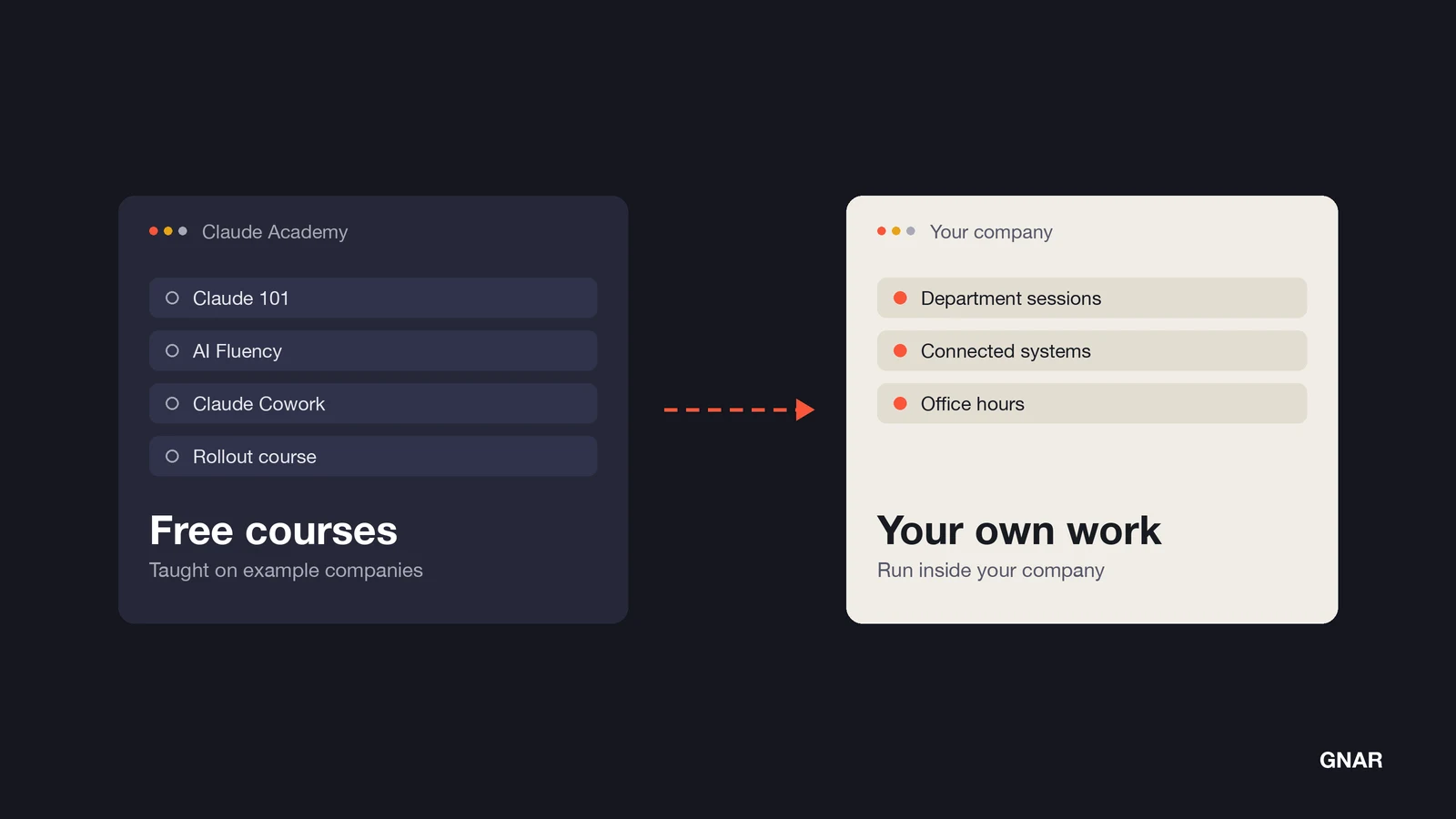
As general advice, three jobs fall to the company after the free courses. They are sessions on each team's actual workflows, the choice of which systems to connect, and a measure beyond course completion. Each one rests on a line in Anthropic's administrator guide or Academy's FAQ.
Sessions on each team's own work#
The admin guide's department sessions, quoted above, are built around "each team's actual workflows." The guide lists Claude Academy next to those programs, as self-service learning.
Some courses use example companies. The rollout course says "Pluto, a fictional company, is the running example throughout." The small business course is built around "a Brooklyn butcher shop and an automotive power-module rebuilder."
Some courses do ask learners to bring their own work. One goal of the small business course is to "Apply the full 4D Framework to a real task from your own business operations." That is one learner on one task. As general advice, a team still needs time together on its own shared tasks.
Which systems get connected#
Claude 101 teaches how to "Connect your tools, company knowledge, and the web with Connectors, Enterprise Search, and Research." The administrator guide tells admins to "Maintain an allowlist of approved connectors and extensions." So your admins decide which company systems a learner can connect at work.
Anthropic's guide on driving Claude Cowork adoption at scale says "Our pre-built plugins are much more useful when they use real data and have organizational context." The same guide gives an example: "A sales plugin that reads your most critical Salesforce dashboard is categorically more useful than one that doesn’t."
A measure beyond completion#
Org reports track enrollment, status and dates. The FAQ says "The report doesn’t include quiz scores, attempts, or time spent." A completion date does not show how a person's work changed.
Anthropic's admin guide sets its success metrics in the Change Management & Launch phase. Its impact metrics include Time Saved per User per Week, with a target of 3+ hours from a user survey, and Tasks Augmented by Claude, with a target of 5+ per week from user self-report. Its Scaling Adoption phase says to "Shift from tracking activity metrics to demonstrating business value," and to "Pair quantitative data with qualitative examples."
How do you build the part that is not free?#
Build the rest from Anthropic's own plan, in six pieces. They are champions, an all-staff session, department sessions on real work, office hours, connected systems and a sign-in that makes the report count. The list below is general advice. Items 1 to 4 each rest on a line from Anthropic's administrator guide. Item 5 rests on the Cowork adoption guide, and item 6 on Academy's FAQ.
- Name champions before launch. The admin guide says to select two to three champions per department or team. It also says to "Create a champions Slack channel or Teams group for peer support." Once they sign in with the company account, send them through the free courses first.
- Run a short all-staff session at launch. The guide's 101 sessions run 30 to 60 minutes. Point everyone to Claude 101 afterward.
- Hold department sessions on real work. The guide says to "Partner with team leads to identify high-value use cases and provide ready-to-use prompt templates." Schedule the follow-up it suggests two to four weeks later.
- Keep office hours open. The guide says weekly or biweekly drop-ins are especially valuable in the first 30 to 60 days. Ask people to bring a real task.
- Connect systems early. The Cowork guide says "Connect systems and data sources early on in the process." A department session goes further when Claude can reach that department's tools.
- Fix sign-in before you send the course list. Have your Claude admin add staff to the organization, as the FAQ says, then tell staff to sign in with the company Claude account, through single sign-on (SSO) where the company uses it. Courses they add from then on count toward your organization in Org reports.
Our post on who should own a Claude rollout covers the four people to pick before a Claude Enterprise rollout starts and what each one owns.
What changed when GSC Enterprises trained on its own code?#
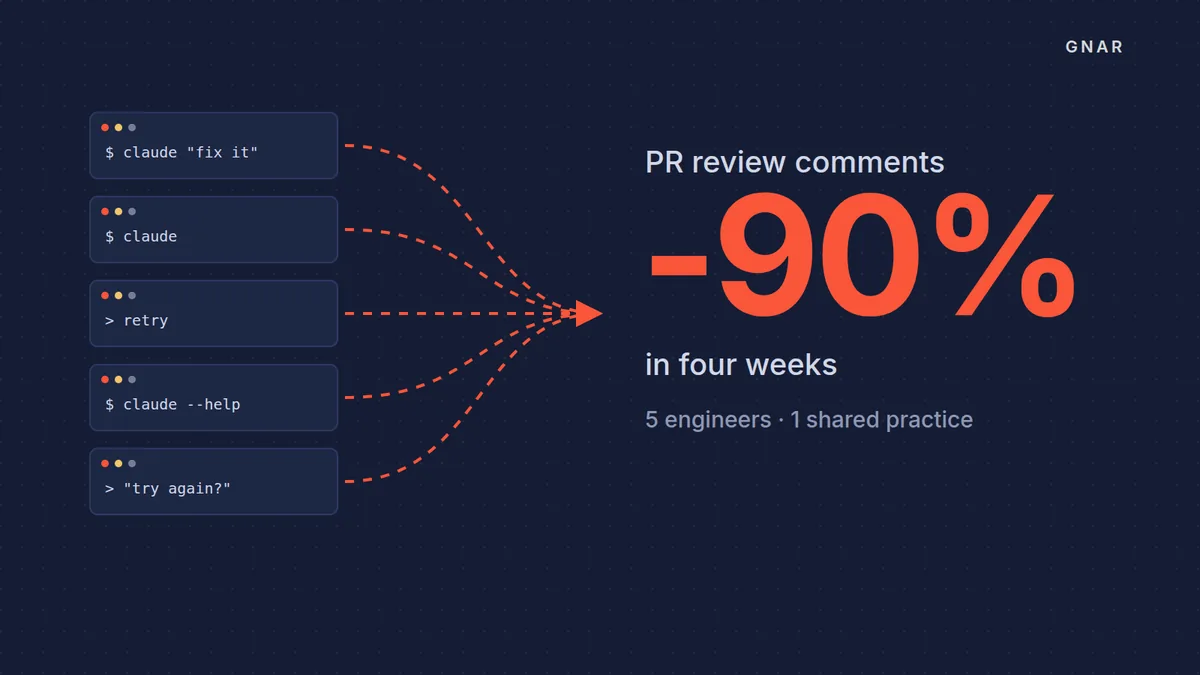
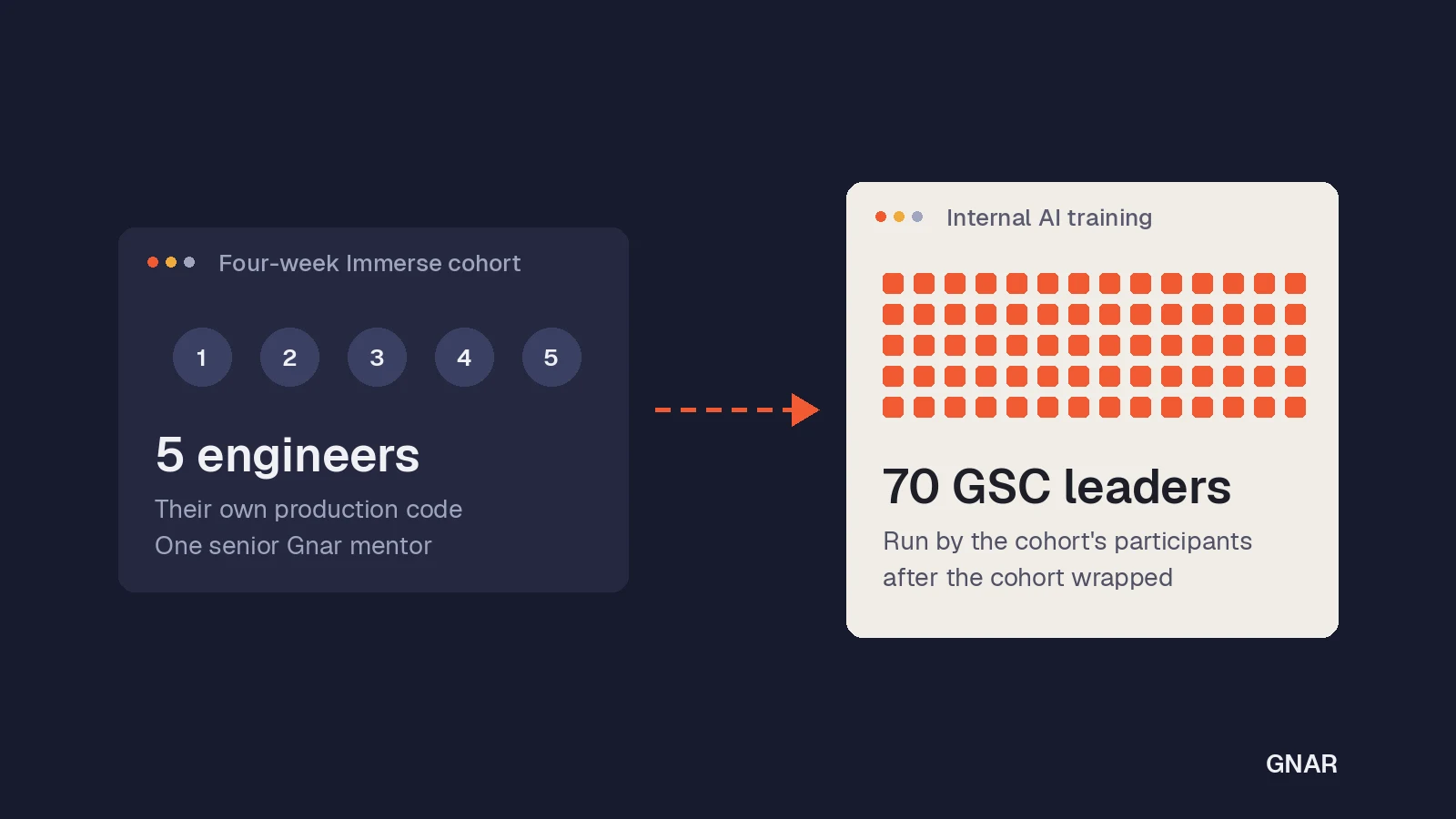
GSC Enterprises trained its five engineers on their own production code instead of a course, and the share of pull requests its code review agent commented on fell from roughly 100% to less than 10% over four weeks. The change showed up in a tool nobody changed.
GSC is the wholesale distributor behind Grocery Supply Company. The GSC Enterprises case study says the company "had already put Claude Code in the hands of its engineering team. What it did not have was a shared way of working with it."
Two lines in the case study describe the starting point:
- The stack. The case study says "their stack is not the one most AI enablement content is written for."
- The ask. CIO Barrett Williams wanted "not a course, but hands-on mentoring applied to the work already on the board."
The Gnar Company ran a four-week Immerse cohort for the five engineers. On the result, the case study says "The clearest external signal came from a tool nobody touched." It also says "After the cohort wrapped, the participants ran an internal AI training for 70 GSC leaders."
Blake Macek, Business Application Manager at GSC Enterprises, put it this way: "The one-on-ones with Alex turned general knowledge into progress on our own projects. We came away with working changes, not just notes."
Read the case for what it covers. It is one team of five engineers, one mentor and four weeks on their own code. It does not test a company-wide course program for staff outside engineering. Our post on how GSC's engineers trained 70 leaders covers what came after the cohort.
Where does Gnar fit, and when do you not need it?#
Gnar fits in two places beside Anthropic's free courses: a free workshop for business leaders and the Immerse cohort for engineering teams. As general advice, a company may need neither when a named person inside owns the champions, the department sessions and the report.
The AI workshop for business leaders says "The workshop series is free and built for non-technical business leaders." Its page lists eight live sessions, "45 minutes each," "Hosted live on Google Meet." The next series has not been scheduled yet. Join the waitlist and The Gnar Company will tell you the moment the next series opens.
For engineers, the training page says "Gnar Immerse is a mentor-led program that runs entirely against the client’s own codebases." The page says each engineer "leaves with a merged change in your codebase, a maintained context file, at least one reusable skill and a workflow they can describe." The page says "Immerse isn’t a course we wrote for clients. We built it to train our own engineering team into Context-Driven Development."
The Gnar Company is a Claude Select Services Partner. Our Claude partner page lists two options for a company getting started, and Option A is "We train your existing team."
When a buyer says "We have people for this," Gnar's answer is "Often you should use them. If your own engineers have the capacity and the direction, do it internally and we will say so on the call."
As general advice, outside help makes more sense when nobody inside has that time, or when your systems look nothing like the course examples.