Fix the data your first AI use case will read, and nothing else yet. Do it in five steps: pick the use case, find where each data set lives, give each one a single home, fix the records and fields in it, then connect the systems and set who can see what. That is how you get AI-ready data for one job without a company-wide cleanup.
This guide is for the CIO or VP of IT at a distributor whose customers, items and prices sit in an ERP, a second system and a dozen spreadsheets. It covers the five steps, a table of what messy data looks like, who can do the fix, and the questions to ask before you hire anyone. All of it can be scoped before any AI is built.
The Gnar Company audits the data you have, fixes what is incomplete or structured wrong, and builds that foundation before it builds any AI system. That is the order on its data engineering and integration page, and it is the order this guide follows.
The outside numbers below come from Gartner, RAND and Google Research. Each is linked where it is used and was read on November 27, 2026. Where a line is general engineering advice and not a sourced fact, it says so.
Why does AI-ready data matter?#
AI-ready data is data that fits the one job the AI will do. The records are complete, the fields mean one thing, and the right people can reach them.
Gartner puts the test in one line. In a Q&A on AI-ready data, Roxane Edjlali says: "Above all, if the data has issues, then the data is not ready for AI." The same page says 63 percent of organizations either do not have or are unsure if they have the right data management practices for AI. That figure comes from a Gartner survey. A Gartner survey of 1,203 data management leaders in July 2024 found that organizations that fail to see the difference between AI-ready data requirements and traditional data management will endanger the success of their AI efforts.
Gartner also makes a prediction. It predicts that through 2026, organizations will abandon 60% of AI projects unsupported by AI-ready data. That is a forecast, not a count of projects that failed. Use it to set priorities, not to quote a failure rate.
RAND's August 2024 report by James Ryseff, Brandon De Bruhl and Sydne Newberry is a research view of the same problem. It says "Data-related problems are among the top reasons AI projects fail." It adds that many fail because the organization lacks the data needed to train an effective model, and that organizations might not have the infrastructure to manage their data. The report also repeats an estimate that more than 80 percent of AI projects fail. RAND introduces that with "By some estimates," so it is a number RAND quotes and not one RAND measured. The RAND report sets out its root causes of AI project failure.
A peer-reviewed 2021 study from Google Research adds a warning about how data problems behave. In Sambasivan and colleagues' paper, the authors interviewed 53 AI practitioners and found that "Data cascades are pervasive (92% prevalence), invisible, delayed, but often avoidable." Those practitioners worked on high-stakes AI, not in distribution, so read it as a note on how data problems spread, not a forecast for your company. The word "invisible" is the useful one: nobody sees the bad field until an answer is wrong.
Here is what that looks like in a real company. Counter Culture Coffee is a specialty roaster that sells to wholesale partners, grocery retailers and direct customers. It is not a distributor, but its systems look like yours. In its case study with Gnar, NetSuite is the ERP and system of record, Shopify runs commerce, Zoho supports account management and service, and Google Sheets and Excel do important supporting work. The case study says NetSuite is deeply customized, so pulling a reliable number often depended on the few people who knew exactly which fields to use. It then states the AI problem plainly: "An assistant is only as reliable as the data it reads, and it has no way to know which of two similar fields is the right one."
A person who knows the business context picks the right field without thinking about it. Writing that knowledge down, field by field, is the work this guide is about.
What counts as messy data at a distributor?#
Data is messy when the same fact lives in more than one place, is missing, or means different things in different fields. Gartner names data stored and maintained in silos with significant overlaps, gaps or inconsistencies as the most challenging data quality problem. For a distributor, those data silos are the ERP, a second system and the spreadsheets.
Use this table to check your own data sources. The first two columns are general descriptions of how these problems show up. The third column is general advice on what an AI is likely to do with each one, not a measured result.
| Symptom | What it looks like at a distributor | What an AI does with it |
|---|---|---|
| Duplicate or conflicting records | Two customer records for one buyer, each with a different ship-to address | Answers from whichever record it reads, so the answer can change between questions |
| Incomplete records | Items with no unit of measure, or customers with no payment terms | Skips the gap or guesses it, and does not tell you which |
| Fields that mean two things | A custom ERP field used for one thing by sales and another by finance | Picks one meaning without knowing it is choosing |
| Reference data typed in by hand | A rotating product list kept in a spreadsheet and keyed into other systems | Reads whichever copy is current in that system, which may not be the right one |
| The same customer or item in two systems | A customer in the ERP and in a second system with different names and credit terms | Joins them wrongly or not at all |
| Unclear permissions | Special pricing terms visible to anyone who can query the data | Shows sensitive data to people who should not see it |
Gartner's list of data quality dimensions maps onto the first four rows. Completeness means records are not missing fields. Consistency means data that exists in several places is represented and structured the same way. Uniqueness means each record is unique based on how it is identified. Unclear data origins make it harder to trace where a bad value came from or how it changed.
Counter Culture had the same pattern. The case study says some core reference data, like the rotating coffee lineup, was kept in spreadsheets and entered into other systems by hand. It says a handful of master-data sets were kept in spreadsheets or in more than one system, "which meant manual re-keying and reports that did not always match." Its conclusion is worth reading closely: the data foundation was largely sound in the hands of the system experts who know it, but it needed guardrails before wider use across the company.
That is the usual state of mid-market data. It works because a few people know the workarounds. It stops working the moment software has to read it without them.
Step 1: Is your data AI ready for one use case?#
Judge data and AI readiness one use case at a time: your data is AI ready when the data sets one specific use case reads are complete, consistent and reachable. Do not ask whether all of your data is ready. Gartner says data and analytics leaders "cannot and should not aim for data quality everywhere because not all data is equally important."
So the first step is to choose the job, then list what it reads. Run this checklist:
- Name one use case in a sentence, such as "an assistant that answers customer questions about price and availability."
- List every data set that use case reads. In the example, that is customers, items, price lists, special terms and inventory.
- Mark each data set by where it lives: the ERP, a second system, a spreadsheet, or a document store.
- Mark each one you would not trust today, and write down why.
- Leave every other data set alone for now.
This first pass assesses the part of your data estate that the chosen use case needs, instead of reviewing everything at once.
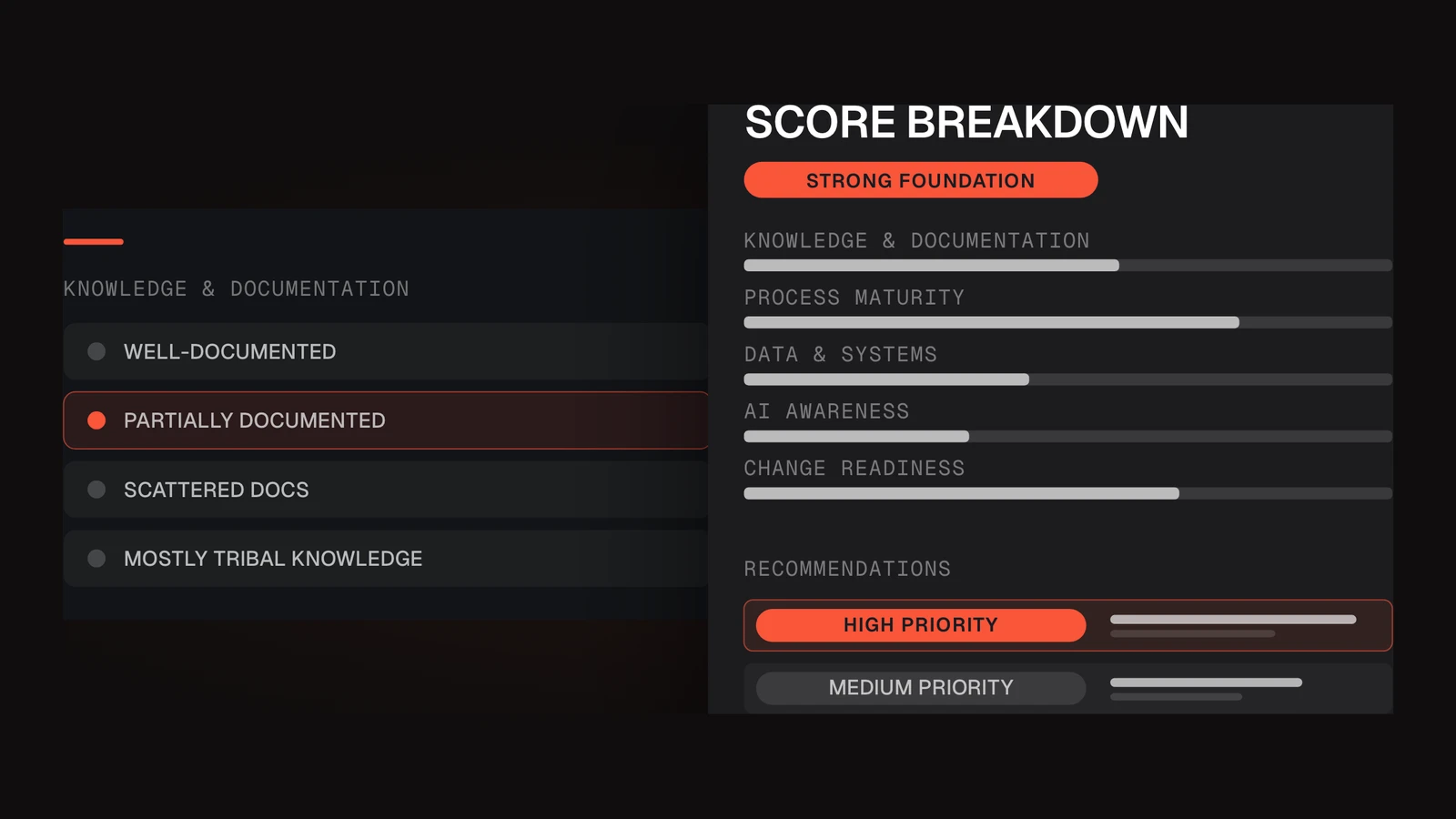
If you have no use case yet, pick one first. The post on finding AI opportunities in your business processes shows how, and how to build an AI roadmap the board will fund shows how to rank several. If you want to score the other readiness areas first, what an AI readiness assessment should cover handles data in one section. This guide starts where that one stops.
Gartner's first step for AI-ready data is the same idea: align data to AI use cases. Its list of five steps also includes identifying data governance requirements for AI, evolving metadata from passive to active, preparing data pipelines, and assuring and enhancing data. Gartner adds that the data must be representative of the use case, including its patterns, errors and outliers.
Counter Culture's roadmap used this logic. Every one of the 79 opportunities it found was scored on five dimensions, and data readiness was one of them. An opportunity with weak data readiness could not score high, however large its upside. In plain terms, a big payoff did not rank high if the data under it was not ready. That is how a data fix gets its priority: by the use case that needs it.
Step 2: Where does each data set live today?#
Write down, for each data set from step 1, which system holds it, who edits it, and which spreadsheets or other copies feed it. This inventory is the base of everything else. Gartner treats data held in silos as the most challenging data quality problem, and you cannot fix a silo you have not mapped. The inventory is also the map you need for unified access across those systems later. Without the inventory, AI-ready data stays a goal and not a plan.
Fill in a table like this one, and remember that enterprise data comes from diverse data sources, both structured and unstructured. The first row is an example only.
| Data set | System today | Who edits it | Copies elsewhere |
|---|---|---|---|
| Example: price list | ERP, plus a spreadsheet | Sales operations | One spreadsheet per sales team |
| Customers | |||
| Items | |||
| Special terms | |||
| Inventory |
Then answer four questions for each row:
- Is there one system that is supposed to be the master copy?
- Does anyone edit a copy and not the master?
- Does anyone key the same value into a second system by hand?
- Do two reports that should match give different answers?
A yes to any of the last three is a finding. Counter Culture's own map found this pattern at the edges. The case study says most tools outside the core integrations either stand alone or rely on exports, "which is why spreadsheets carry so much of the load." Its hub was a strength, though: commerce, fulfillment and retail EDI already flowed into a single system of record.
Do this inventory with the people who edit each data set, and include business teams, because they often know which spreadsheet copy people actually use. Ask the person who builds the spreadsheet, not only the person who owns the system. The spreadsheet owner usually knows which fields are wrong.
Step 3: Give each data set one home#
Each data set gets one system of record, so every later AI use case reads trusted data. Edit it only there, and have every other system read from it. Counter Culture's roadmap states the rule this way: "master data is edited only in its system of record, and every other system reads from there." The recommendation was to give each affected data set a single home in a core platform, NetSuite or Zoho, based on which team owns and uses it most, and to retire the spreadsheet and duplicate copies.
Use the same test to pick the home for yours:
- Which team edits this data set most often? That team's system is the first candidate.
- Which system already holds the most complete version?
- Which system can other systems read from without a person exporting a file?
- Write the home next to the data set in your inventory, and name an owner.
- Set a date to retire each spreadsheet copy, and then retire it.
Gartner explains why this step matters most for master data. Its data quality page says centralized data "comprises the most critical and commonly shared datasets, such as master data." Customers, items and prices are the master data of a distributor.
The home may turn out to be software you do not have yet. If your reference data lives in a spreadsheet because no system fits it, read turning the spreadsheet nobody trusts into real software. If the question is whether to build or buy the system that holds it, custom order management: build or buy covers the decision for a distributor. You do not have to replace your ERP to do any of this. ERP modernization without a big bang cutover covers how to change one piece at a time.
As general advice, one home per data set is a core part of an AI-ready data foundation for a distributor. Retiring the copies is the hard part. Someone will have built a spreadsheet that does one job well. Ask what that job is, and move it into the system of record before you retire the file.
Step 4: Fix the records and the fields#
Measure the data your use case reads first, then fix each problem at the source. Gartner surveys show that 59% of organizations do not measure data quality, so a simple measurement already puts you ahead. Pick two or three quality dimensions that matter for your use case, check them on the data sets from step 1, and fix what the check finds in the system where the data lives.
Gartner's data quality page lists nine dimensions, including completeness, consistency, uniqueness, accuracy and timeliness. It advises selecting the dimensions useful to your use cases and then picking "two or three that are most important for the use case to measure and improve." Run this checklist:
- Completeness: what share of customer records are missing a ship-to address, payment terms or a contact?
- Consistency: how many customers or items appear in two systems with different names or terms?
- Uniqueness: how many duplicate customer or item records exist?
- Timeliness: when was each price list last updated, and is any stale data still in use?
- Write each count down with a date, so you can compare it after the fix.
Then fix at the source. The Gnar Company's data page says it fixes incomplete records and poorly structured custom fields where the data lives, and that governance keeps those fields usable. The principle is general: if you clean a copy and leave the source alone, the same bad record comes back on the next sync.
A repeatable measure is also what keeps AI-ready data ready after the first fix. Governance is what keeps the fix in place. Give every custom ERP field an owner and a written meaning. A field with a name like TYPE2 needs a sentence that says what it holds and who may change it. That sentence is the business context an AI cannot guess. Gartner is blunt about who owns this work: "Yet data quality is a business discipline." Your IT team can run the cleanup, but the business owner of each data set has to decide what correct means.
Metadata management is part of the same job. Metadata is the description of your data: what each field means, where it came from, who owns it. Gartner warns that organizations with basic or manual metadata management practices will face challenges in making their data AI-ready. A shared data dictionary for your custom fields is a simple way to start, because better data accuracy supports better model performance.
The cost of skipping this is also on record. Gartner says poor data quality costs organizations at least $12.9 million a year on average, according to Gartner research from 2020. Gartner gives no company size for that figure. Treat it as a general order of magnitude, not as an estimate of your own loss. Poor quality data costs you mostly in rework and wrong answers, and an AI system makes both easier to produce at scale. High quality data for one use case is worth more than average data everywhere.
Step 5: Connect systems and set access#
Once each data set has a home and clean records, connect the systems the AI will read from and decide what it is allowed to see. Gnar's data engineering page describes this as building integrations that pull from systems such as NetSuite, SharePoint and spreadsheets, with controlled access in place before anything is built on the data.
This step is how AI-ready data actually reaches the AI system. Three rules cover most of the design. They come from that page.
- One write path. The page says: "We separate how data gets changed from how AI reads it. Every change goes through one write path."
- Read-only for AI. The page says: "Agents get read-only access to query the data." An AI agent that can only read cannot corrupt a record.
- Permissions stay as they are. The page says: "People only see answers from documents they already have permission to open."
The last rule matters for sensitive data. Your ERP holds structured data: customers, items, orders. Your file shares and SharePoint hold unstructured data: contracts, pricing agreements, manuals. As general advice, protect sensitive data with access control before AI applications read either one, because an assistant that can search all of your enterprise data will answer with whatever it finds. A sales rep should not get another rep's special terms because an assistant could see them.
Then plan to maintain it. Gartner says AI-ready data is not "one and done." New spreadsheets appear, fields change, and a new system gets added after an acquisition. Gartner's five steps include identifying data governance requirements for AI, so write the rules down in a form that survives those changes. Build a monthly check of the two or three measures from step 4 into someone's job.
For the wider picture of connecting AI to the systems you already run, see enterprise AI integration.
Who fixes it: your data engineers or a firm?#
Your own team can fix it if it has the capacity and the direction. Hire outside help when it has one but not the other. The right choice depends on who knows where the data lives, who can spend the time, and who can decide which system is the home for each data set.
| Option | What it does well | What it leaves open |
|---|---|---|
| Your own data engineers | Knows the systems and the workarounds | May not have free time, or a decision on which system owns each data set |
| A data quality tool | Measures completeness and flags duplicates across large tables | Does not choose the system of record or change how people edit the data |
| A firm that audits and fixes | Maps the data, fixes records at the source, sets ownership | You still need an AI build afterward |
| A firm that also builds the AI | One team holds the data work and the build | You have to trust the data work was done before the build began |
The table is general advice, not a ranking. Most distributors end up with a mix: their own people for knowledge, a tool for measurement, and a firm for the parts that need senior time.
Gnar has a line for this: "If your own team has the capacity and the direction, you do not need us." It has a second line for the other case: "You have engineers. You just cannot point them at this." Together they describe the same split.
Here is what The Gnar Company has done with data. It migrated 500K+ rows of data off the old background check system at the Massachusetts Department of Early Education and Care. Gnar built the cloud-based app that replaced it, and the EEC now runs its 80K+ annual background record checks there. That is a data move into a new system, not an AI project, but it is the same skill of getting records out of an old system and into a clean one.
On how Gnar works: its data page says it looks at data readiness during discovery, and that what it finds decides where the work starts. The work either begins with fixing the data or with controlling how AI reads it. Discovery has two tiers. Core costs $20,000 and runs four weeks. Accelerator costs $30,000 and runs six weeks. Each tier ends with a guaranteed price for the build phase, and a build that a Discovery plan scopes is typically $150K to $300K+ in total. You can start with Discovery and decide later whether to build with Gnar, because the plan ends in a guaranteed price whether or not you build with them. Gnar's data engineering page publishes no price for a data audit on its own, so do not expect one in a first call. The page for Gnar Discovery and Design lists what each tier includes.
If you want a lower-cost first read, the free 10-question AI readiness assessment scores your readiness across areas that include data. The page on AI strategy and fluency shows how Gnar's AI work fits together.
Questions to ask before you hire anyone#
Ask these seven questions of any firm, including Gnar, before you sign anything. A good answer to each one is specific to your systems.
- What will you audit first, and which data sets does it cover? The right answer starts with your first use case and names the operational systems and data sets behind it.
- Where will the fixes be made: in the source system, or in a copy? Fixing a copy brings the problem back, so ask how the firm will prepare data at the source.
- Who owns each custom field after you leave, and where is that written down?
- What will an AI agent be allowed to read for each AI workload, and can it write? Read-only is the safe default.
- What happens if the audit says my data is fine? A firm should be willing to say so.
- Can I see a client's data work, with the client named?
- Is the price fixed, and what exactly does it cover?
The sixth question is the hardest to fake. Counter Culture's case study carries a quote from its CEO, Joe Prewett: "The Gnar team did an outstanding job mapping our tech stack, evaluating the strength of all the connections, and looking for opportunities for strengthened data integrity and, of course, productivity (from big to small). The engagement gave us a roadmap that we're using to flow into our 3‑year plan." The case study reports $1.5M in potential savings across the top 10 initiatives. Those are roadmap figures, not savings delivered, and the work was advisory.
Start with step 1 this week. Name the use case, list the data sets it reads, and mark where each one lives. That one page tells you whether your AI initiatives need an outside firm, a tool, or only a decision about which system owns what, and how far your AI-ready data is from the first use case.