A Claude Enterprise rollout checklist has three phases. Before anyone gets access, you set up sign-in through your identity provider, roles by team, a security review, spend limits, read-only connectors and a baseline. In the first weeks, a pilot group starts with named champions and training on real work. The stretch ends with a readout that decides what happens next.
Anthropic's administrator guide describes "the four phases of a successful Claude Enterprise deployment: Technical Setup, Change Management & Launch, Enablement & Training, and Scaling Adoption." This checklist covers the ground up to the first readout. Each item is one line, and where Anthropic names a setting, the line uses that name.
This post is for the IT director who has been handed the contract and asked to make it work. Some of the work needs engineers, such as connecting Claude to an order system built for one company. The Gnar Company is a Claude Select Services Partner in Anthropic's Claude Partner Network. Its enterprise AI integration page says: "Enterprise AI integration connects an AI model, such as Claude, to the systems your company already runs."
What goes on a Claude Enterprise rollout checklist?#
A Claude Enterprise rollout checklist covers three phases: before anyone gets access, the first weeks, and the readout. The first phase holds the longest list, because sign-in, roles, the security review, spend limits, connectors and a baseline all have to be ready before people arrive.
| Phase | What gets done | Who usually signs off |
|---|---|---|
| Before anyone gets access | Sign-in through your identity provider, roles by team, the security review, spend limits, read-only connectors, a baseline | The identity provider owner, security and the budget owner |
| The first weeks | A pilot group, champions in each department, training on real work, a weekly spend review | Department leads and champions |
| The readout | Each group's numbers against the baseline, and a decision to widen, hold or narrow access | The executive sponsor |
The phases and the third column are general engineering advice for a company, and your org chart may differ. The settings named inside each phase come from Anthropic's guides and help center. If leadership wants a date for each phase, our post on how long a Claude Enterprise rollout takes lists what Anthropic's guides put on the calendar.
Phase 1: before anyone gets access#
Phase one is done when sign-in, roles, the security review, spend limits, connectors and a baseline are all in place for the first group. Most of these items wait on teams outside the rollout, so give each line an owner on the first day.
Sign-in through your identity provider#
- Verify your domain. Anthropic's single sign-on guide says domain verification "proves that you own your company's domain," and that once it is verified, you can configure single sign-on.
- Connect single sign-on. Claude Enterprise supports SAML 2.0 and OIDC, and Anthropic's administrator guide says to test it with a small pilot group before the broad rollout.
- Turn on Require SSO for Claude once the test passes. Members then sign in only through the "Continue with SSO" option.
- Pick a provisioning mode. Invite only is the default. Just-in-time (JIT) adds people at their first sign-in. SCIM directory sync, on Enterprise plans, also removes people you unassign in your identity provider.
- Turn on Restrict organization creation. It stops people from creating new Claude organizations, including personal accounts, on your verified domains.
- Decide on domain claiming. Claiming moves the personal accounts on your verified domain into your organization, and the administrator guide says it cannot be reversed.
- Give the Owner role to at least two members directly. Anthropic's rollout course work-along companion calls it lockout insurance: "at least two members hold the Owner role directly, not through a group; with IdP role mappings, they are in the group mapped to Owner before you save it"
- Set the Primary Owner before SCIM. The provisioning guide says group mappings cannot assign the Primary Owner role, and to set your intended Primary Owner before enabling SCIM or group mappings.
Roles by team#
- Build groups by job function. Anthropic's consumption guide says "Engineering" and "Sales" are more useful than "North America" and "EMEA," and it suggests starting with 4 to 6 groups.
- Assign custom roles to groups. Custom roles exist on Enterprise plans only. A member whose role is set to Custom has no default permissions until a custom role assigned to one of their groups grants them.
- Gate high-intensity surfaces by group. The consumption guide's example lets only an Engineering group use Claude Code. Members left on the built-in User role keep everything that is enabled for the whole organization.
- Check seats for Claude Code. On new and self-serve Enterprise plans, Claude Code comes with the single Enterprise seat. On older Enterprise plans it needs a Chat + Claude Code seat or a Premium seat.
- Ask device management to pre-install the Claude desktop app on developer machines. The administrator guide says it includes Claude Code in its Code tab.
- Watch the JIT and Custom role gap. Under JIT, groups do not sync from your identity provider. People mapped to the Custom role arrive with no permissions until someone adds them to groups by hand.
The security review#
- Run the review with IT and information security. It is a line on Anthropic's pre-launch checklist, next to documented data retention policies.
- Set custom data retention. Owners and Primary Owners on Enterprise plans set it, the minimum is 30 days, and data is kept indefinitely unless you set a period.
- Know that a shorter period schedules deletion on save. Anthropic's retention article says data outside a shortened period is scheduled for permanent deletion as soon as you save, and a daily background process removes it, which can take several days for large amounts of data.
- Confirm audit logs. They are for Enterprise organizations only, and an export gathers the organization's logs from the past 180 days. If your organization uses customer-managed encryption keys, you can't export data using the "Export logs" button, and audit log events are available in the Compliance API.
- Decide on the Compliance API. On Claude Enterprise, only the Primary Owner can turn it on, from the API page in Organization settings.
- Put the training default in the review notes. Anthropic's administrator guide says your organization's data is not used to train Claude models by default.
Spend limits#
- Set a per-user limit for each group. Anthropic's consumption guide recommends starting with group limits and per-user limits. Our post on what Claude Code costs per developer has Anthropic's monthly figures for sizing an engineering group's limit.
- Use the organization limit with care. The consumption guide calls it a hard ceiling, and says hitting it affects everyone at the same time.
- Leave no one without a limit by accident. If a member has no individual limit and none of their groups has one, their spend isn't capped by a member or group limit. Org-wide limits remain the hard ceiling.
- Name who approves requests for more. Anthropic's spend caps lesson warns that "in-product requests can sometimes wait days for a decision" when the approvers do not own the budget.
Connections to your other systems#
- Start each connector read-only. For each permission category or individual permission in a connector, Owners on Team and Enterprise plans can select Always allow, Needs approval or Blocked, and the setting applies to everyone in the organization.
- Decide on Let members request connectors. On Enterprise plans it is off by default, and only Owners and Primary Owners can turn it on.
- Start the connector allowlist. Anthropic's administrator guide lists an allowlist of approved connectors and extensions among the governance items to revisit as usage grows.
A baseline#
- Write down the targets before launch. Anthropic's administrator guide gives examples, such as weekly active users at 70% of licensed seats.
- Record the work numbers each pilot team already tracks, from before access opens.
- Confirm who can read the analytics. On Enterprise plans, Owners, Primary Owners and Admins can view usage analytics, and Admins see everything except spend.
Which identity steps can lock people out?#
Requiring single sign-on, an expired certificate, the first save of JIT or SCIM provisioning and group mappings can each lock people out of Claude. Anthropic's single sign-on and provisioning guides describe each one, and each has a check you can run first.
- Requiring single sign-on. The single sign-on guide warns that enforcement "might result in users being unable to log in if they are not correctly assigned to the Anthropic app in the IdP." Check the app's assignments before you turn on Require SSO for Claude.
- An expired certificate or client secret. The guide says that if Require SSO is on and the certificate or client secret has expired, no one in your organization can sign in to update it. Note the expiry date in your identity provider and rotate the credential ahead of time, as the guide suggests.
- The first save of JIT or SCIM provisioning. Anthropic's provisioning guide says: "Any users who aren't assigned when you save will be deprovisioned from the organization." Assign everyone to the Anthropic app in your identity provider first.
- Group mappings. Owners and Admins who are not in a group mapped to a role are removed when SCIM group mappings are turned on. The Primary Owner is exempt. Put your Owners in the group mapped to Owner before you save.
If no Owner or Admin can sign in, Anthropic's guide says to contact its support from an Owner's or Primary Owner's email address. Support then verifies ownership and helps restore access.
Why connect systems read-only first?#
Read-only access gives people value before anyone has to decide what Claude may change in your systems. Anthropic's rollout course says most organizations land on read-only access, scoped to the groups whose work lives in that system, unless a group's workflow clearly needs Claude writing into the system and its risk owner is comfortable with it. Write access comes once a workflow has shown the need and the risk owner has signed off.
The course's connectors lesson puts it plainly: "Read access is immediately useful." Fetching and searching help on their own. It also says widening access costs members nothing, while revoking write access or removing a connector breaks the workflows members built on it.
Anthropic's connectors article adds two facts for the security review. First, "Claude inherits each person's permissions from the connected service," so a connector cannot reach a file the person could not open. Second, "Custom connectors that use a shared credential reach whatever that credential can access." A custom connector with a shared login needs its own review.
Some systems have no ready-made connector, such as an order system built for one company. Anthropic's guide describes custom connectors as remote MCP servers that you build. The MCP site says "MCP (Model Context Protocol) is an open-source standard for connecting AI applications to external systems."
That is the work on Gnar's enterprise AI integration page. Its first step reads: "We list each system AI needs to reach, what it may see and change, and who signs off." For lookups, "We give the AI a connector that only allows lookups, called a read-only MCP server." For changes, "AI cannot change a record directly. Every change passes one checkpoint you control, which checks permission first." Before launch, "your security team gets the access rules and the request log to review."
What baseline should you record before launch?#
Record two kinds of numbers before launch: the targets you will judge the pilot against, and the work numbers each pilot team already tracks. Take the second kind from your own systems, such as the ticket tracker and source control, before access opens.
Anthropic's administrator guide gives example targets in its success metrics table:
- Weekly active users at 70% of licensed seats, from the admin dashboard.
- 25 or more messages per user per week, from usage analytics.
- Projects and Artifacts used by 40% of active users.
- 3 or more hours saved per user per week, measured by a user survey.
- A satisfaction score of 4.0 or higher out of 5.0, from a quarterly survey.
The time saved and satisfaction numbers come from surveys. Pair each of them with a number you can count.
Once people are using Claude, Anthropic's usage analytics article lists what the admin dashboard reports. It includes weekly active members, active members and assigned seats, groups, and connectors "including the number of users, plus counts of read and write actions." Read the connector counts to see whether each group uses the access it was given.
For engineering teams, Anthropic's Claude Code analytics show lines of code accepted and the suggestion accept rate. Contribution metrics, in public beta, compare merged pull requests with and without Claude Code, and they need GitHub Cloud. Our post on measuring a Claude Code rollout shows how to pair each of those with a work number.
Phase 2: the first weeks#
The first weeks put a pilot group on Claude, give each department champions, and train people on the work they already do. Anthropic's administrator guide describes a pilot of 50 to 100 users synced through SCIM and watched for 2 to 4 weeks, an approach it says many organizations use.
- Widen access group by group. The guide's example adds departments gradually and opens access to the whole organization once processes are established.
- Plan launch communications to start two weeks before launch. The guide follows them with tips and success stories from pilot users in the first week after.
- Name two to three champions per department or team. The guide asks that champions get early access, advanced training, talking points and demo guidance, and a shared Slack or Teams channel.
- Run all staff 101 sessions of 30 to 60 minutes at launch, and repeat them for new hire cohorts.
- Train each department on its actual workflows. The guide pairs these sessions with an executive sponsor and schedules a follow up 2 to 4 weeks later.
- Hold office hours weekly or biweekly, where people bring real work and get help from champions. The guide calls them especially valuable in the first 30 to 60 days.
- Give engineers their own track, on their own code. This is general engineering advice.
- Review group spend weekly. Anthropic's consumption guide says weekly during the initial rollout and monthly after that.
- Read Time at limit before you raise a limit. The consumption guide notes that "members at their limit are often your top adopters."
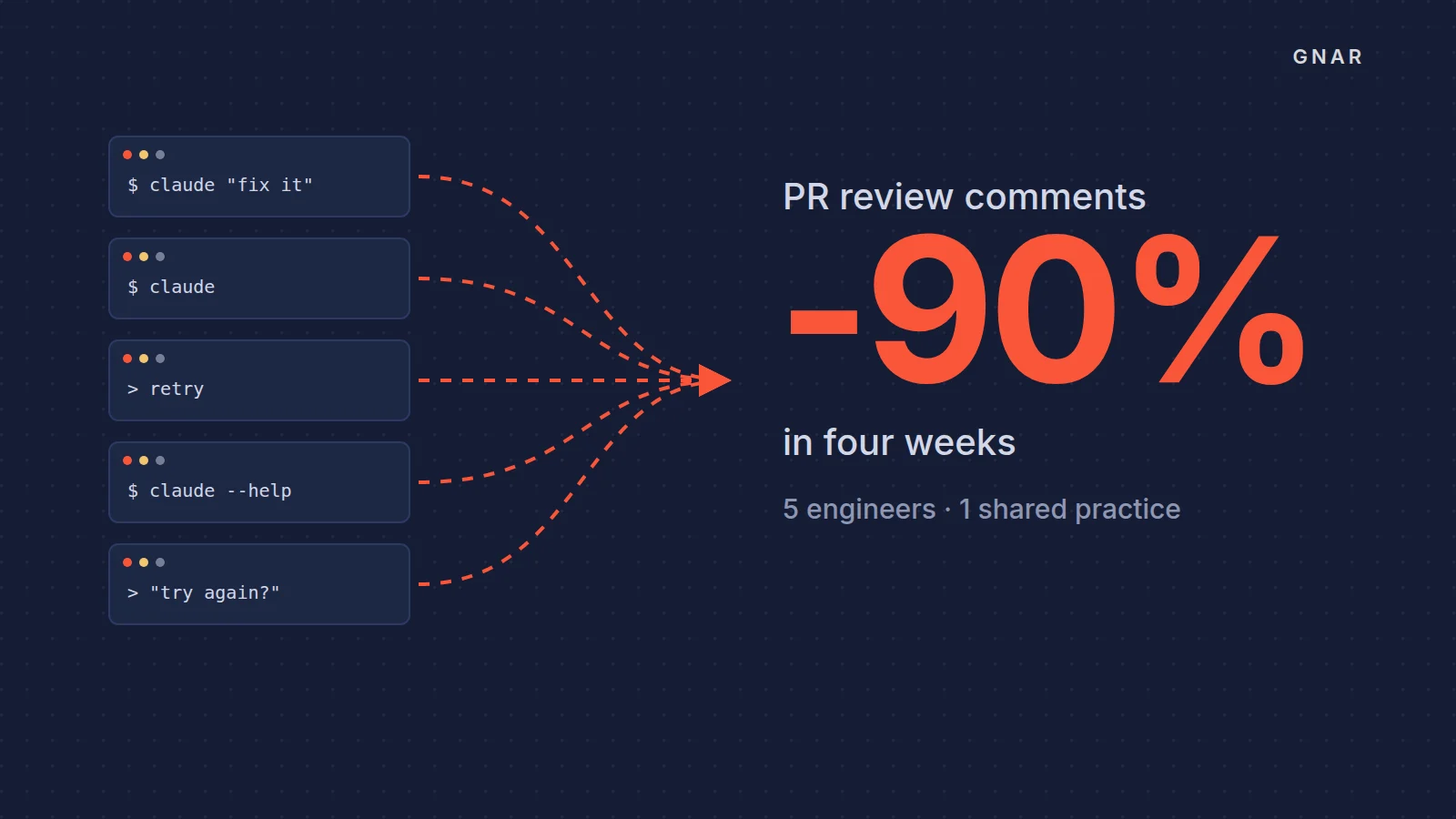
The engineering track can look like the work at GSC Enterprises, the wholesale distributor behind Grocery Supply Company. Its five engineers spent four weeks in a mentor-led Gnar Immerse cohort run entirely on their production codebases, with no training repos. The GSC Enterprises case study reports that the share of pull requests GSC's automated code reviewer commented on fell from roughly 100% to less than 10%, with no change to the tool.
Once the cohort wrapped, those five engineers ran an internal AI training for 70 GSC leaders. The case covers five engineers on Claude Code. Gnar's AI training for engineering teams page sums up the cohort as "Four weeks, one mentor, your code."
Phase 3: what goes in the readout?#
The readout compares each pilot group's numbers with the baseline and ends with one decision per group: widen access, hold it, or narrow it. The items below are general engineering advice. Anthropic's guide does suggest a brief retrospective at each phase of a rollout.
- Each group's weekly active members against its assigned seats, read group by group.
- The targets you wrote down before launch, marked met or missed for each group.
- Each group's work numbers against the baseline you recorded before access.
- Spend against each group's limit, and how often members hit it.
- Connector use, including the counts of read and write actions.
- Which groups have a named champion, and which do not.
- What people said in surveys and office hours.
- Anthropic's three retrospective questions: "What use cases emerged? What barriers remain? What should change for the next phase?"
- The decision for each group, with an owner and the date of the next readout.
In its section on measuring impact, Anthropic's guide suggests pairing the numbers with "short case studies from team leads."
A group that comes back quiet needs a check before anyone cuts its seats. Our post on why a Claude rollout goes quiet takes four causes in order, starting with configuration.
Who can change each setting in Claude?#
Many settings on this checklist need an Owner or the Primary Owner, and several exist only on Enterprise plans. The table gives the plans and the roles that Anthropic's help center lists for each setting, as of November 2026.
| Setting | Plans | Who can change it |
|---|---|---|
| Require SSO for Claude | Team and Enterprise | Owner or Primary Owner |
| SCIM directory sync | Enterprise plans | Owner (Claude) or Admin (Console) |
| Custom data retention | Enterprise | Owner or Primary Owner |
| Audit log export | Enterprise | Owners and Primary Owners |
| Compliance API | Enterprise | Only the Primary Owner can turn it on |
| Adding a connector for the organization | Team and Enterprise | Owner or Primary Owner |
| Connector tool permissions | Team and Enterprise | Owners |
| Let members request connectors | Team, on by default; Enterprise, off by default | Owners and Primary Owners |
| Pooled group budgets | Enterprise | Owners, Primary Owners, the Billing role, or a custom role with Billing (Can manage) |
| Viewing usage analytics on Enterprise | Enterprise | Owners, Primary Owners and Admins; Admins cannot see spend |
Read the table as a staffing list. If the IT director does not hold the Owner role, plan for an Owner's time in phase one. And if the Primary Owner is a service account, which Anthropic's roles guide allows, decide who logs in to it before security asks for the Compliance API.
When does outside help make sense?#
Outside help makes sense where the checklist needs engineering: connecting Claude to a system no ready-made connector reaches, or training engineers on their own code.
Gnar's Claude partner page describes the work as building "the governed foundation once (identity, security, data access)." It also sets the hand over: "Your team runs it after we leave. Configurations, evals and runbooks are handed over."
For a connector to your own systems, the first step is a plan with a price on it. Start with Gnar Discovery and Design. Two weeks, $15,000, and you walk out with a build plan that has a fixed price on it.
"If your own engineers have the capacity and the direction, do it internally and we will say so on the call."