Taking a Lovable app to production comes down to an owner, locked down data, tests, alerts, hosting you control and code that lives in your own GitHub repository. This post is for the COO of an established company whose operations lead built a tool in Lovable that the team now relies on every day. It lists what changes between "it works on my screen" and "the business can depend on it," and it matters because the tool already holds real data and nobody may be on the hook when it breaks.
The Gnar Company puts the problem in its own words: "The prototype works. Getting it into production is a different job, and it is the one we do." Gnar's page on fixing apps built with AI tools opens with the question this post is built around: "Your app works, and people use it. But can one customer see another customer's data?"
Nothing here says the tool was a mistake. A working Lovable prototype proves the need is real, and it gives engineers something to read. If you are the owner of a customer facing app with new users, read Your Vibe-Coded App Has Users. Now What? first. This post is about the internal tools case: a tool the staff use, built by a colleague, with no engineer in the loop.
What is production ready for a Lovable app?#
A Lovable app is production ready when the business can depend on it, a named person owns it, and a failure gets noticed and fixed before it hurts a customer or a teammate. That is a standard for the whole system around the code. The code is one piece of it.
Lovable describes the right order of events in its own handoff post from March 19, 2026. The post says "there is an intentional pause" between the prototype and the stage where engineers take over. It adds that "the prototype doesn't need to ship to production," and that "engineering still owns what goes live." The sources for those lines are in Lovable's post on the prototype to production handoff. The post also says that Lovable syncs the project to a GitHub repository, where engineers add business logic, test coverage and CI/CD pipelines.
In many companies that pause never happened. The operations lead built the tool to solve a real problem. It worked. People started using it, and then more people did. Nobody decided that it was live. It just became live.
The gap between a prototype and production software is easy to describe once you know where to look.
- A prototype is tested by its builder. The builder knows what to click, uses sample data and signs in as an administrator. Production software is used by many people with different roles, who click things nobody planned for.
- A prototype has one good day. Production software has to survive a bad day: a slow connection, a duplicate entry, a file in the wrong format, a person who left the company.
- A prototype is judged by whether it looks right. Production software is judged by whether it is right, and by whether someone would know if it stopped being right.
- A prototype can lose its data. Production software holds records the business needs, and it can bring them back.
Put plainly, a Lovable prototype becomes a working app the day real users depend on it. To make it production ready, developers need the source code, a copy of the data and a way to test changes before real users see them. That is true of any AI built app, whether the people using it are your staff or paying customers.
AI generated code adds one more reason to look. The tool writes code that runs, and running is a lower bar than production standards. The builder asked for a screen that tracks orders. It did not ask for data access rules, error tracking or a plan for a bad deploy. AI tools often do not add those unless someone asks for them. That is not a failing of the person who built it.
Lovable runs its own security checks, and Lovable's documentation is plain about their limits. It says, "You are still responsible for your app's security." It also says the checks "can't guarantee that your app is secure or replace a full security review," and it suggests a review by a security professional for apps that handle sensitive data or critical tasks. Apps that hold customer records often carry security requirements from customers or auditors as well.
Here are the three questions an auditor, an insurer or a large customer will ask about the tool. Can you show me who can see this data? What happens if it breaks? Who is responsible for it? If you cannot answer all three today, the app is not production ready yet. The checklist later in this post gives you the full list of things to settle.
Is your Lovable app already in production?#
Yes, if your team uses it for daily work, it holds customer or order data, or another system depends on it, then it is already in production, whatever anyone calls it. The label does not change the risk. What matters is what happens when it fails.
Check each of these. One yes is enough to treat the tool as live.
- The team opens it every day, and work would stop or slow down without it.
- It holds customer names, order details, prices, contracts or other sensitive data.
- Staff outside the group that built it sign in to it.
- Another tool, a spreadsheet or a report reads from it or writes to it.
- A customer, a supplier or a regulator sees something it produces.
- Someone has asked, "Who do I call if this breaks?" and the answer was a shrug.
- The person who built it is the only person who knows how it works.
- Nobody has tried to restore it from a backup.
Count the yeses and pay attention to the last three. The person who built the tool may be your best operations lead, and also the only fix for every problem. That is a risk to the tool and to that person's actual job.
The pause Lovable describes did not happen here, so you need to create it now. That does not mean shutting the tool off. It means a short, deliberate stop on new requests while someone looks at what you have. A stop is cheap compared with a surprise.
The Lovable app to production checklist#
A Lovable app to production move needs a short list of areas checked in a set order, and the table below gives that list. Print it, give each row an owner and write "yes" or "no" next to every line. "I think so" counts as a no until someone shows you.
| Area | What to check | Why it matters |
|---|---|---|
| Data access | Create two test accounts and try to open one account's records from the other. Ask for the data access rules in the database. | A tool that shows one person's records to another is an exposed personal data problem, and a customer will find it before you do. |
| Secrets and API keys | Search the code and the settings for passwords, API keys and tokens. Confirm they are kept as environment variables on the server. | A key in the code can be copied by anyone who sees the code, and it can run up charges or open the door to other systems. |
| Logins and user roles | Open every page while signed out. Sign in as each user role and try to reach pages and actions meant for another role. | Pages that skip the sign in step, or roles that can do too much, let the wrong person see or change data. |
| Tests | Look for automated tests on what users do most: sign in, save, search and export. | Without tests, any new request can break something that worked yesterday, and nobody finds out until a user complains. |
| Alerts and error tracking | Ask what tells your team when the app is down or shows errors. Check that a named person gets the message. | If users are the alarm, the first notice you get is an unhappy customer. |
| Hosting | Confirm which account the app runs in, who pays for it, and who can sign in to that account. | An app on a personal account stops working when that person leaves, and nobody else can reach it. |
| Backups and a tested restore | Find the backup. Restore it into a test copy and check that the records are there. | A backup nobody has restored is a hope. A tested restore is a plan. |
| Database | Find where the data lives, who can read it directly and whether it is separate from any test data. | The database holds the real data. Anyone with direct access can bypass every rule the screens enforce. |
| Connections to other systems | List every tool the app reads from or writes to, and how each connection signs in. | A broken or over-trusted connection can change records in a system the business depends on. |
| Who owns it | Write down one business owner and one technical owner. | A tool with no owner has nobody who fixes it, approves changes or answers an auditor. |
| Where the code lives | Confirm the code is in a GitHub repository your company controls, with at least two people who can reach it. | If the code lives only in the builder's account, you do not fully own the tool. |
Why data access comes first#
Data access comes first because the worst failures here are quiet. Nothing crashes. Someone just sees something they should not.
The OWASP Top 10 is a widely used list of the biggest web application risks. In the 2021 edition, Broken Access Control is A01, the top item. It moved up from fifth place. OWASP reports that 94% of the applications it looked at were tested for some form of broken access control, and that this category had the most occurrences in its dataset, over 318k. Two of the common failures it lists describe the exact risk in a tool built by one person: viewing or editing someone else's account by providing its unique identifier, and acting as a user without being logged in.
The fix has a plain name: row level security. These are rules in the database that decide which rows each signed-in person can read or change. A row is one record, such as one order or one customer. With the rules in place, the database itself refuses to hand over records a person has no right to see. Without them, the screens may hide data, but the data is still there for anyone who knows how to ask.
Ask your builder one thing: "Where are the data access rules written, and can you show me?" A clear answer is a good sign. A pause is a reason for an audit, because weak rules can expose other users' data to signed-in people who should not see it.
Secrets, keys and environment variables#
Secrets are the passwords and API keys that let the app talk to other services, such as email, payments or your ERP. They belong in environment variables on the server, which are settings stored outside the code, so the keys never reach the browser. They do not belong in the code itself.
Apps built by AI tools sometimes have keys pasted straight into the code, because that is the shortest way to make a test work. If the code is shared, exported or stored in an account with loose access, the key goes with it. Ask for a search of the code for anything that looks like a key. If one turns up, treat it as exposed: replace it, and then move the new one into the settings. The same rule covers paid services like email or payments: send those calls through the server so their keys stay protected. If the app uses Lovable Cloud, Lovable's built-in backend, server-side code runs as edge functions, and that is where those calls belong.
Logins, user roles and sign in#
A login proves who someone is. A user role decides what that person may do. Both have to work on every page and every action, and the builder tests them far less often than the screens.
The test is simple. Sign out and open each page. Sign in as an ordinary user and try the administrator pages. Then sign in as a person from a different team and look for data that belongs to the first team. Each failure is a finding. A tool that holds sensitive data should never show it to a signed-out visitor.
Tests, alerts and error tracking#
Tests are small programs that check the app still does what it should. You do not need tests for everything. Tests on what users do most pay for themselves, and for most apps those are signing in, saving and searching.
Alerts and error tracking cover the other half. Error tracking records what went wrong and where. An alert tells a named person when the app is down or shows errors. Together they turn "a user told us on Friday" into "an alert told us when it broke," and they give an engineer a trail to follow.
Hosting, preview environments and the deployment pipeline#
Hosting is where the app runs. The questions are boring and they matter: whose account is it, who pays, who can sign in and what happens if they leave.
The next layer is how a change reaches the live app. Mature teams use preview environments, which are separate copies of the app where a change can be tried before real users see it. They also use a deployment pipeline, an automated path that checks a change and then puts it live. Both are part of the production infrastructure around the app, alongside hosting, the database and alerts. In a setup with no separate review step, an edit may reach the live app without anyone checking it. That is fine for a prototype. For a tool the business depends on, it means every experiment happens in front of your staff.
Connections to other systems#
Most operations apps do not stand alone. They read orders from one system and write statuses to another, or they email customers. Each connection is a door. List every one, write down what it is allowed to do and note how it signs in. A connection that can write to your ERP deserves the same care as the ERP itself.
Who should own the app now?#
The app needs one named owner on the business side and one named engineer or firm on the technical side, and both names should be written down where the team can find them. The business owner decides what the tool should do. The technical owner decides what goes live.
That split is the same one Lovable's handoff post describes. The team that builds the prototype validates the idea, and engineering owns what ships. If you have no engineering team, the technical owner can be an outside firm. If you have one, that team should say yes or no before the tool is declared live.
Use this rule to pick between three common situations.
- You have in-house engineers with time. Hand them the Lovable project, the GitHub repository and the checklist. Keep the operations lead as the business owner. They know what the tool is for.
- You have engineers but no time. Ask them for a short code review and a list of gaps, then decide whether to pay an outside firm to close them. A written list is worth having even if you never use it.
- You have no engineers. Hire help for the technical side and keep the business side in-house. Pick a firm that will read the code before it quotes a price, and that is willing to say when you do not need it.
Treat the operations lead who built the tool with care. They solved a real problem, and they know the work better than any outsider. Do not make them the owner of the servers as well. Do not leave them as the only person who can fix it. Their job is to run operations.
Write down what each owner is responsible for. The business owner approves new requests, keeps a short list of who has access and tells the technical owner when the work changes. The technical owner keeps the code in the repository, applies changes, watches the alerts and answers when something breaks. One page is enough.
Fix it or rebuild it?#
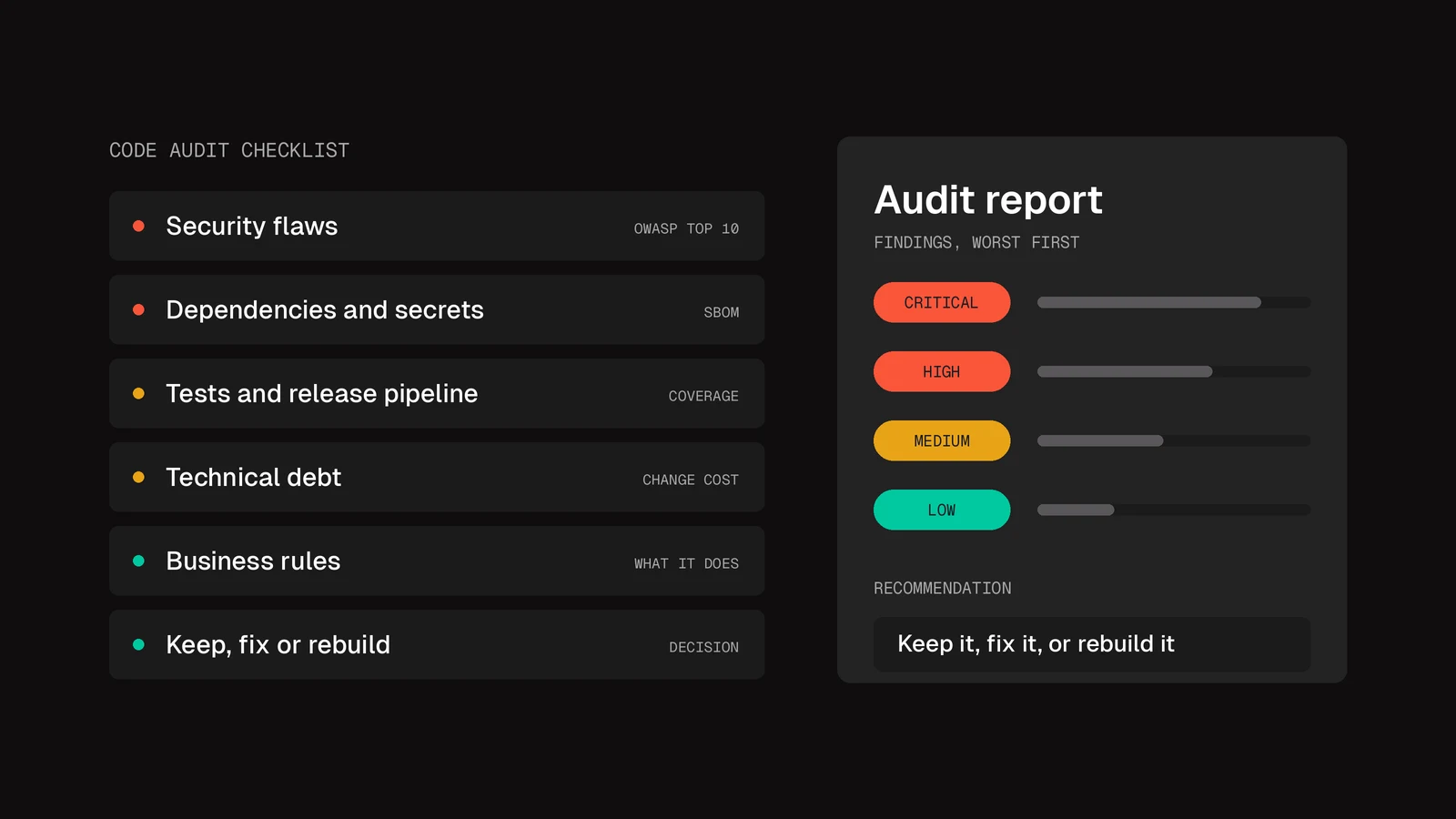
Fix it if the code can be changed safely, and rebuild it if it cannot, because starting over often costs less than patching. Gnar's own rule on its page for fixing apps built with AI tools is: "We read your code and tell you which one you need." You cannot make that call from outside the code, so the first step is always a read.
A Lovable application can be a good prototype that gives engineers something real to work from, or it can be a tangle that only works because nobody has touched it. Here is a sensible rule of thumb from general engineering practice. Signs that a fix will work: the code is organized into parts a new engineer can follow, the same logic is not copied in many places, the data is stored in a sensible shape and an engineer can run a change without the whole app falling over. Signs that a rebuild will cost less: every change breaks something else, the data is stored in a way that cannot grow with the business, or no one can say where a rule lives.
There is a third answer that people forget: leave it. A small internal tool with a handful of users and low risk data may not need more than an owner, a backup and a short list of checks. The free code audit that Gnar offers, done under an NDA, tells you whether to fix, rebuild or leave the app. If your own engineers can do the fix, Gnar says so. You can read about the audit on the page for codebase audits.
Do not decide on a price before the read. A rebuild quote that arrives before anyone has opened the code is a guess. A fix quote that arrives the same way is also a guess. Ask for the read first, then the options in writing.
What should you ask before anyone edits it?#
Before anyone edits the tool, ask for a copy of the code and the data, a list of who has access and a written answer to each of the questions below. These questions protect you from a well-meant change that breaks the one thing that works.
Ask your own team first.
- Who has a login to Lovable, to the hosting account, to the database and to the GitHub repository? Does any code or setting still live only inside Lovable?
- Is there more than one person who can reach each of those accounts?
- Has a copy of the code and a backup of the data been taken today?
- Has anyone restored that backup into a test copy?
- Are there separate preview environments, or does every edit go to the live app?
- Which other systems does the tool read from or write to?
- What does the tool hold: names, addresses, prices, contracts, employee records?
- Are secret keys in the code or in environment variables?
Then ask any outside firm that offers to help. These are fair questions to put in writing.
- Will you read the code before you give me a price?
- Will you tell me if my own engineers can do this work?
- Will the code live in a repository that my company owns?
- Will you leave notes so another engineer can pick the work up?
- Is the price fixed, and who pays if the work runs over?
- What happens after launch, and who gets the alert when it breaks?
- Is there a written warranty on the work?
The answers tell you a lot. A firm that avoids the first question has not planned to read your code. A firm that will not leave the code in your repository is selling you a dependency. You can use these questions on Gnar too.
Last, freeze new requests to the AI tool while the review runs. Every new prompt adds code that nobody has read. If an urgent bug needs a fix, make it, but hold the rest.
What does it cost to keep it running?#
Keeping a production tool running costs money for hosting, monitoring and support, plus some of your staff's time. Support should also cover shipping new changes safely over time. The money part can be small. The time part is easy to forget, and it is what decides whether the tool stays healthy.
Here is what the ongoing maintenance covers, whoever does it.
- Hosting and the database stay paid and working.
- Someone watches the alerts and error tracking and answers them.
- Someone reads change requests and decides which ones go live.
- Someone updates the software the app depends on when it needs it.
- Someone checks the backups, and restores one now and then to prove it works.
- Someone removes access when a person leaves.
You can staff these yourself if your engineers have the capacity and one named person is accountable. If they do not, a support plan covers it. Gnar's is called Maintain: an optional monthly plan for hosting, monitoring and support, from $1,000 a month. It is optional, and you can run the tool yourselves after the fix.
For the owner's time, plan on a regular review with the technical owner and a short check of who has access. That is far less than the hours lost the first time the tool goes down and nobody knows who to call. The numbers that matter are your own: what a day without the tool costs your operation, and what a data leak would cost your customers' trust. Compare those with a monthly plan, and the choice is usually clear.
How does Gnar take it to production?#
The Gnar Company starts with a free code audit under an NDA, and it ends with your code in your own repository and a twelve-month bug-free warranty on the work. The audit tells you whether to fix, rebuild or leave the app. If your own engineers can do the fix, Gnar says so.
Gnar adds four things to an app that was built with an AI tool such as Lovable.
- Security holes found and closed. That means one customer seeing another customer's data, secret keys left in the code and pages that skip the login.
- Tests that catch broken changes. They cover what users do most, such as signing in, saving and searching.
- An alert to your team when the live app goes down or shows errors.
- Hosting, database and connected tools set up for the users you have now.
A fix or a rebuild runs as Gnar Forge, a fixed-price project. If the work runs over, Gnar pays the difference, and the work carries a 12-month bug-free warranty. The code is yours, in your own repository, with notes so another engineer can pick it up. U.S.-based senior engineers do the work. After launch, Maintain is there if you want hosting, monitoring and support handled for you, and it is optional.
The first step is small. Send the Lovable project and a short description of what the tool does. The audit tells you what you have, what it needs and whether the answer is a fix, a rebuild or nothing at all. If you are still weighing who to ask, our comparison of agencies that fix vibe coded apps lays out what to look for.
Your operations lead built something that works. The next step is the job that makes it safe for the people who rely on it, and that job has a clear list. Work through the list, name the owners and have the code read.