Stop adding new requests and check four things: who can see whose data, whether secret keys sit in the code, whether every page asks for a login, and what breaks when someone changes the app. This guide is for a COO whose team built a vibe coded app with an AI app builder, where real users now depend on it, and it covers the first-week checks, the security and testing gaps, and how to decide whether to fix, rebuild or leave it.
Why it matters: the app worked in the demo, and a demo hides most of what goes wrong. With real users, the app holds other people's information and carries your name. A leak or an outage is now your problem, and the person who built it may not know where the weak spots are.
A vibe coded app is one built mostly by an AI tool, such as Lovable, Replit, Cursor or Bolt. Teams use these tools to build software quickly, and that speed is a different thing from production readiness. The Gnar Company makes these apps safe for real customers. It finds and closes security holes, adds tests and alerts, and sets up hosting. We wrote this for the executive who owns the risk. We also wrote a comparison of agencies that fix these apps, and this post does a different job: it tells you what to do before you call anyone.
What changes once real users arrive?#
Real users bring their own data, their own habits and their own bad days. A demo has one forgiving user and a short list of things to try. A live app has many users doing things nobody planned for, at all hours, with information they expect you to protect.
Three things change on the day the first outside user signs up.
First, the data belongs to someone else. Names, orders, documents and payment details stop being test records. If the app shows one user's records to another, you have a data exposure, and your customers will hear about it from you or from someone else.
Second, people depend on the app. When it goes down on a Tuesday morning, someone cannot do their job.
Third, the app now gets changed while people use it. Every new request from your team means another prompt to the AI builder, another round of generated code and another chance to break something that worked yesterday.
The AI builder is not the problem. It did what you asked: it produced a working app fast. The gap between that demo and a production application is everything nobody asked for, such as access rules, error handling, error monitoring, automated tests and a safe place to try changes. A builder rarely adds those unless you ask, and a first-time builder does not know to ask.
The developer community has noticed the same pattern. In the Stack Overflow 2025 Developer Survey, 66% of respondents cite "AI solutions that are almost right, but not quite" as a frustration, and 45% say debugging AI-generated code is more time-consuming. Those numbers describe developers in general and not your app. They fit what a COO sees: the app looks right on the surface, and the last stretch takes longer than expected.
The first week: what to check#
Freeze new requests, then work through a short checklist with your builder or an engineer you trust. The answer to each item should be a plain yes or no, written down. That record becomes the first piece of documentation for the app. Anything that gets "I think so" counts as a no until someone shows you.
This checklist is general engineering advice. Put it in a shared document and give each line an owner.
- Pause new requests. Keep fixing urgent bugs, and hold new additions for now. Every new prompt adds code that nobody has reviewed.
- List who can get in. Write down every person with a login to the AI builder, the hosting account, the database and the code repository. Remove anyone who left or never needed it. Make sure at least two people at your company can reach each account.
- Take a copy. Export the code and make a backup of the database. Confirm the backup can be restored. A backup nobody has tested is a hope.
- Confirm separate environments. Ask whether there are distinct development, staging and production environments, or whether everything lives on one preview URL.
- Find where the code lives. Many AI builders keep the project inside their own platform. Ask whether your company owns a copy in its own repository, and who has the keys to it.
- Try to see another user's data. Create two test accounts. Log in as the first, then try to open the second one's records by changing the address in the browser or using a saved link. If anything loads, stop and fix it before anything else.
- Look for secret keys in the code. Search the project for API keys, database passwords and tokens written directly into files. Keys belong in environment variables, outside the code.
- Open every page while logged out. Click through the whole app without signing in, and try the addresses of admin pages. Any page that loads without a login needs an answer.
- Write down what the app connects to. Payment processors, email services, other databases, spreadsheets and any AI service. Each connection has a key, a cost and a failure mode.
- Ask how updates reach users. Find out whether there is a deployment pipeline with checks that run before changes go live.
- Name an owner. One person at your company is accountable for the app. If that is nobody today, that is the first finding.
Security: the gap a demo hides#
A demo shows that the app works for the person using it. Security is about what happens when someone uses the app in a way you did not plan. AI tools write code that does the job, and they do not reliably write code that resists misuse. As general engineering advice, check input validation on every form and API endpoint.
The best measured data on this comes from Veracode. Its 2025 GenAI Code Security Report gave 80 coding tasks to over 100 large language models. Each task asked a model to fill in the missing part of a single function, and each had a secure way and an insecure way to be written. The models chose the secure way in 55% of tasks. In the other 45%, the model introduced a known security flaw.
Read that number carefully. It describes 80 single-function tasks, across four languages and four kinds of flaw. It does not say 45% of apps have a flaw, and it does not say that about yours. Veracode also reported that security performance has been largely unchanged over time and that larger models did not do significantly better than smaller ones. The useful reading is narrow: a model can write code that works and still pick the unsafe option, and a newer tool is not a safety check.
Four areas deserve a look first.
Other users' data#
The most expensive failure in a multi-user app is one customer seeing another customer's records. It happens when the app asks the database for "all orders" and trusts the screen to show only yours, and the database itself has no rule that stops a request for someone else's orders.
The fix is an access rule at the data layer. In databases that support it, this is called row level security: the database itself refuses to return rows that belong to another user. The app should never be the only thing standing between one customer and another's records.
You can test for this yourself with the two-account check from the first week. A passing result is good evidence. A failing result is urgent.
Secret keys and environment variables#
AI builders sometimes write API keys and passwords straight into the code so the app works right away. That is fine on a laptop and risky once the code is shared, copied or exposed. Anyone who finds a secret key can use the service it opens, and you pay the bill or take the damage.
Secret keys belong in environment variables, which are settings kept outside the code and loaded when the app starts. Keep production secrets out of source code and configuration files. If a key was ever in the code, assume it leaked and replace it. Changing the key is cheap. Explaining a misuse later is not.
Logins and permissions#
Check that every page uses authentication to confirm who you are, and that the app checks what you are allowed to do. A common gap is a page that hides a button from ordinary users but still accepts the request if someone sends it directly. Hiding a button is a design choice. A permission has to be enforced on the server. With multiple users, each person should reach only the data and functions their role allows.
Sensitive data#
List the sensitive data the app holds: personal details, financial records, health information, anything covered by a contract or a regulation. Know where it is stored, who can read it, and whether it appears in logs or error messages.
Tests, alerts and hosting#
Beyond security, a live app needs three things the demo did not: automated tests that catch broken changes, alerts that tell you when something fails, and hosting that matches the number of people who rely on it. Each one answers a plain question. Will I know before my users do?
Automated tests#
An automated test is a small program that uses the app the way a person would and checks the result. A production app usually has unit tests for small pieces, integration tests for how the pieces work together, and end-to-end tests that click through the app. Tests run every time someone makes a change. If a change breaks sign-in, the test fails and the change does not go live.
You do not need tests for everything. Start with the critical paths users take most: signing in, saving a record and searching. Add the paths that involve money or sensitive data. Then add edge cases, the odd situations that real users create, such as an empty field, a very long name, a duplicate record or two people editing the same item at once. Run the tests in the deployment pipeline before changes go live.
Error handling and error monitoring#
Error handling is what the app does when something goes wrong: a service is down, a field is blank, a file is too large. A good app shows the user a clear message and keeps working. A weak one shows a blank screen, loses the user's work or exposes technical details.
Error monitoring is the second half. It records every error and alerts your team. Without it, the only monitoring is your customers. With it, someone sees the problem within minutes, with the details needed to fix it.
A staging environment#
A staging environment is a private copy of the app that mirrors production, where changes are tried before users see them. Many AI-built apps have only one version, the live one. Every edit goes straight to customers, and a bad prompt becomes an outage.
Hosting, backups and connected tools#
Hosting that worked for one user may not hold up for many. As general engineering advice, check how the app opens database connections under load, add rate limiting so one user or script cannot flood it, and test database migration scripts before an update touches real data. Confirm that backups run on a schedule and that someone has restored one.
Fix it, rebuild it or leave it?#
Choose by what the code allows and what the app is worth. Fix it when the code is solid and only the protections are missing. Rebuild when the code cannot be changed safely. Leave it when the app is small, internal and low risk. Whichever path you choose, launch changes in a controlled way, such as internal testing first or a limited release. The table gives the common cases. It is general engineering judgment, and a code review is how you know which row you are in.
| Situation | Usual call | Why |
|---|---|---|
| Code is organized, the app is missing security checks, tests and alerts | Fix it | Keep what works and add the missing pieces. This is the cheapest path. |
| Code is tangled, every change breaks something else, nobody can explain it | Rebuild it | Patching a base that cannot be changed safely costs more over time than starting clean. |
| Small internal tool, a handful of trusted users, no sensitive data | Leave it | Add a backup and an owner, and keep an eye on it. Money spent elsewhere does more good. |
| Customer-facing app that holds sensitive data | Fix or rebuild, and do it soon | The cost of a leak outweighs the cost of the work. |
A few notes on how to use the table.
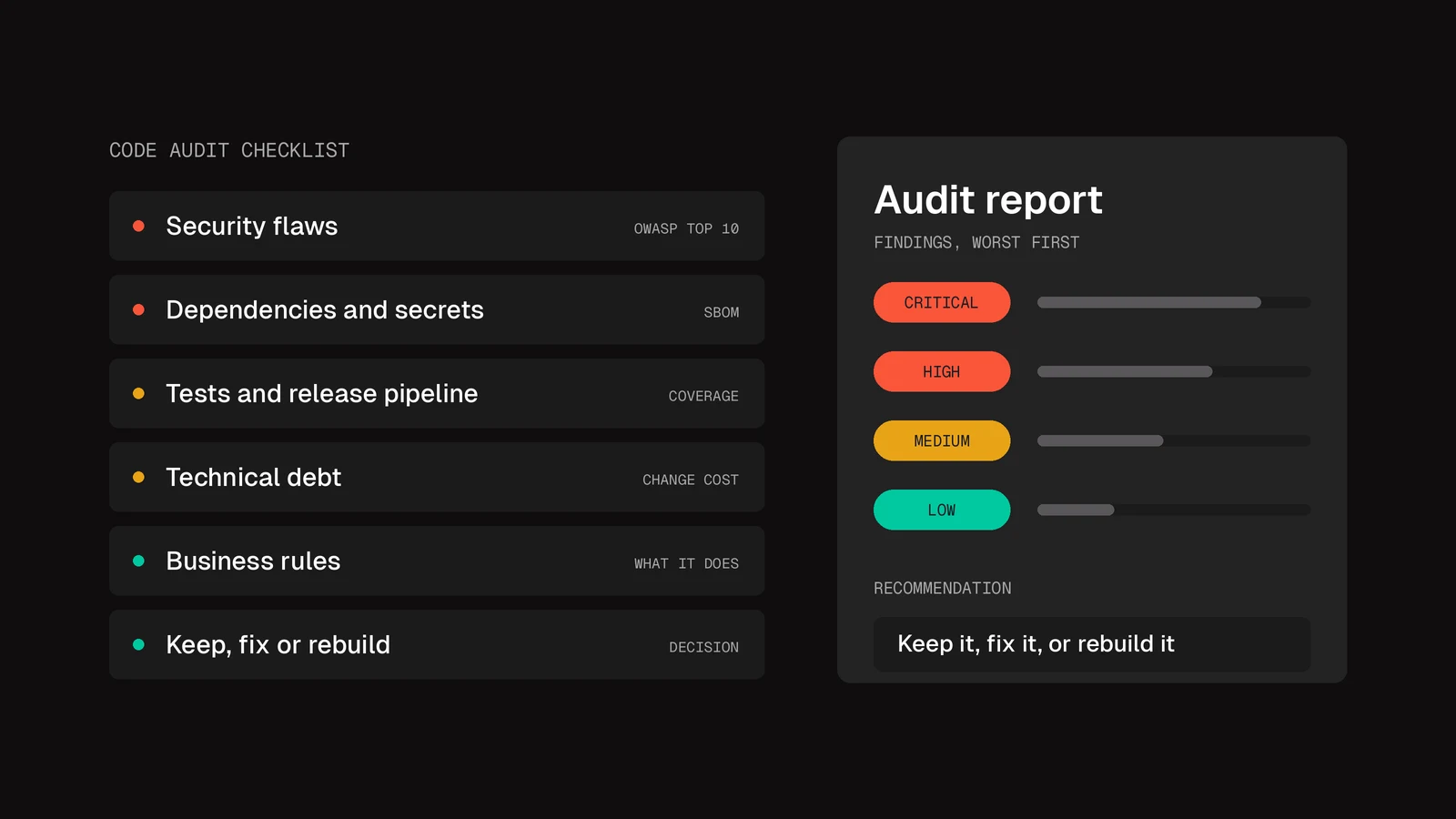
The decision should come from someone who has read the code. A founder's gut, a vendor's pitch and your builder's reassurance are all weak evidence. A short outside code review gives you a written answer on which row of the table you are in. Our guide on what a codebase audit should include lists what a good review covers, so you can check any reviewer against it.
Who should do the work?#
Your own engineers should do it if they have the time and know what to fix. Bring in outside help when nobody inside has the capacity, the direction or the experience to take it on. Whoever does the work, and whatever AI coding tools they use, require a human review of generated code and a written list of what was checked and what was changed.
Use your own engineers when they have spare capacity, have shipped a production app before and will own this one afterward. Use an outside team when they are full or nobody has run an app like this.
Whoever you pick, ask these questions. The last two matter most. Vague answers to them are the usual sign of a vendor who bills you again later.
- What will you check, and will I get it in writing?
- Who reads the generated code with human review, and what is their experience with security reviews?
- What happens to my code, my data and my access when the work ends?
- If something you changed breaks, who fixes it and at what cost?
- Is the price fixed, and what happens if the work runs over?
How Gnar handles a vibe coded app#
Gnar starts by reading the code and telling you whether to fix it, rebuild it or leave it. The Gnar Company makes vibe coded apps safe for real customers. Its U.S.-based senior engineers close security holes, add tests and alerts, and set up hosting, and the price is fixed. This section is Gnar's own description of its service, taken from its hardening page.
Gnar fixes apps built in Lovable, Replit, Cursor and similar tools. The page lists four things it adds so an app can handle real customers.
- Security holes closed. One customer seeing another customer's data, secret keys left in the code, or pages that skip the login.
- Automated tests on what users do most. Signing in, saving and searching, so a change that breaks one gets caught before users see it.
- Alerts when it breaks. If the live app goes down or starts showing errors, your team gets an alert.
- Hosting, database and connected tools set up. So the app is ready for the users you have now.
There are two ways in. When the code is solid, Gnar keeps it and adds what is missing. When the code cannot be changed safely, Gnar rebuilds the app at a fixed price with the same warranty. Gnar's page puts the second case plainly: starting over often costs less than patching it.
Gnar's page also states a limit: if your own engineers can do the fix, we'll say so. That matches the advice above. Often the right answer is to use your own people.
The guarantee covers the work. This is Gnar's published wording: Three commitments on every build engagement: a fixed milestone price with any overage on us, a guaranteed outcome meaning the software works as specified or we fix it, and a twelve-month bug-free warranty. It covers Discovery, Build, Forge and Maintain. It does not cover Embed. On Compass, Immerse and Integrate, ask us.
Our post on what a software warranty should cover explains what to look for in any vendor's warranty.
After the app is live, Maintain is Gnar's monthly support plan. It covers hosting, monitoring and support from $1,000 a month, and it is optional. The code stays in your own repository, with notes so another engineer can pick it up.
If you want to talk through your app, the hardening page describes the service and how to reach the team. The prototype works. Getting it into production is a different job, and it is the one we do.