The way to keep a software project from going over budget is to settle the scope before the price, split the build into short phases that each have a fixed price, write down who pays when a phase costs more, and check progress against working software at every phase. This post is for a CEO about to approve a six-figure custom build, such as a quote between $150K and $300K. Cost overruns on a software project are common, and the contract you sign decides who absorbs them. It covers why projects run over, a ten-point checklist for the contract, the warning signs, and what to do if you are already over.
You can run this checklist in the vendor conversation. If you want a price that comes out of a paid planning phase, the Discovery engagement at The Gnar Company ends with a plan where each phase has its own fixed price. The sections below explain the checklist so you can hold any vendor to it, including us.
A note on the research. The best data on overruns comes from McKinsey and the University of Oxford, and it describes large IT projects, those with initial price tags over $15 million. Your build is much smaller than that. The research gives no number for a build in the $150K to $300K range, so treat the figures as a warning about direction. Where this post gives advice that does not come from a source, it says so. That advice is general engineering practice, and it is not a report on what Gnar has seen in its own projects.
What causes software project cost overruns?#
Software projects go over budget because the work is priced before anyone has fully understood it. The price comes from a guess, the guess hides unknowns, and the unknowns surface after the contract is signed. Longer schedules make it worse. A project overrun rarely has one cause. Large projects also depend on other systems that nobody priced in. The research below shows how often this happens.
McKinsey and Oxford studied more than 5,400 IT projects. Their 2012 report says half of all large IT projects, defined as those with initial price tags over $15 million, "massively blow their budgets." On average, large IT projects ran 45 percent over budget and 7 percent over time. They delivered 56 percent less value than predicted. The report also says software projects run the highest risk of cost and schedule overruns.
Read those numbers as a pattern. They come from projects that cost far more than a build in that range, and they do not forecast yours. They do tell you where the risk sits. The report names four areas where projects get saved or lost:
- Managing strategy and stakeholders, as well as budget and schedule.
- Mastering the technology and the project content by securing critical talent, inside and outside the company.
- Building teams whose incentives line up with the goals of the project.
- Core project management practices, such as short delivery cycles and rigorous quality checks.
According to the survey responses in that report, an inability to master the first two areas typically causes about half of all cost overruns. In plain words, half the overrun comes from not agreeing on what the business wants and not having the right people who understand the technology. Neither of those is fixed by a better spreadsheet.
The same report found that 17 percent of IT projects go so badly that they can threaten the existence of the company. It calls these black swans and defines them as budget overruns of more than 200 percent. You will not plan for that case, but you can ask a vendor what stops your project from becoming one.
The checklist before you sign#
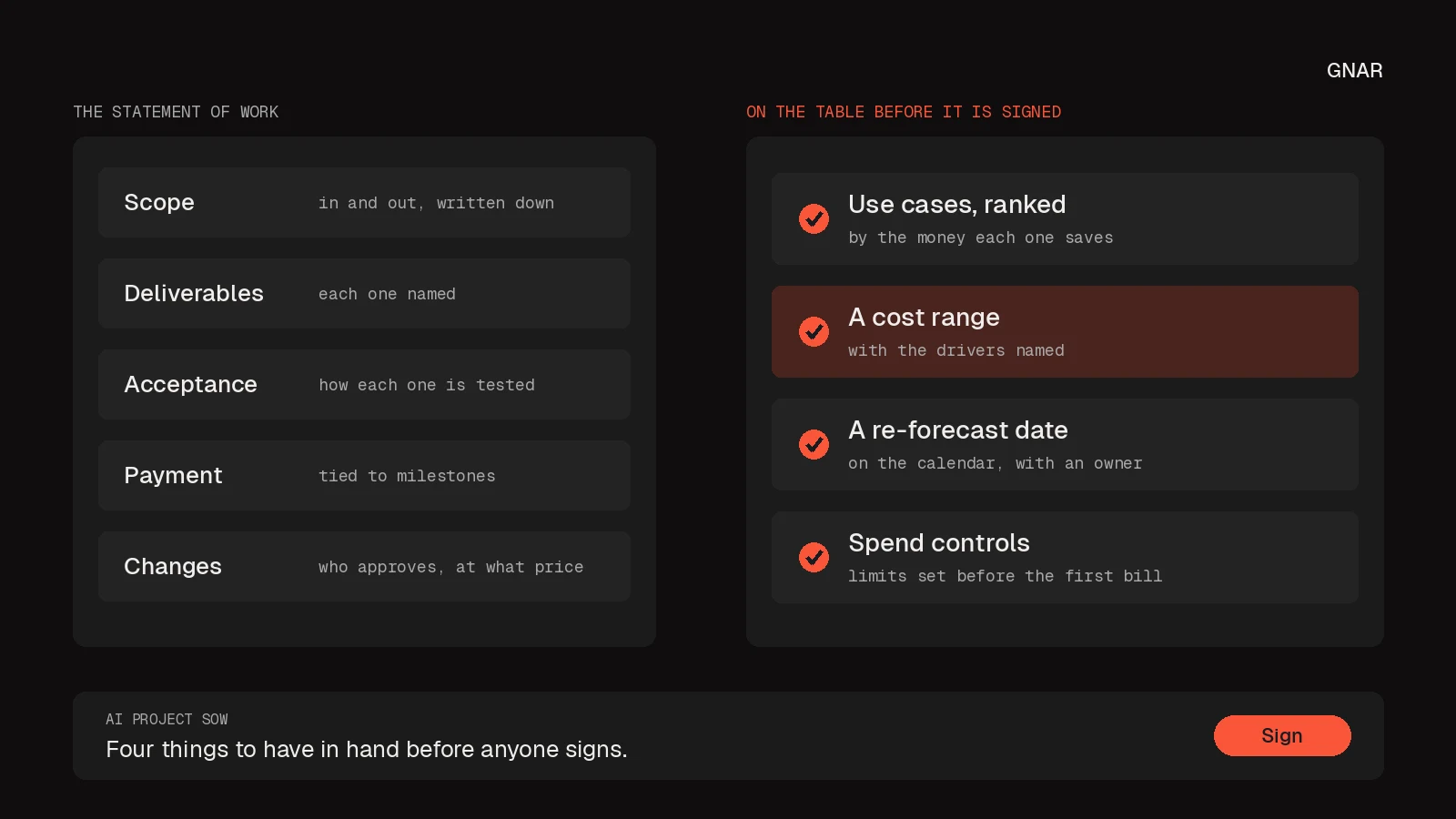
Before you sign a contract for custom software, check ten things. The scope is written down. The price comes from a plan. The work is split into phases with a price on each. The contract says who pays for an overrun. Change requests have a process. You get working software at set points. Connections to other systems are listed. The people doing the work are named. Contingency is visible. You own the code.
Use the list below as a working document for project planning before you sign. Print it, take it to the vendor meeting, and mark each line yes or no. A "no" is a question for the vendor, and the answer should end up in the contract.
- The scope is written in plain language. The project scope and project requirements should be documented before pricing, so you can read them and say what the software does on day one of use. If you cannot, the vendor cannot price it either.
- The price comes from a plan, and you can see the plan. A quote with no plan behind it is an opinion. Ask for the list of work the price covers, and check the estimate against data from similar past work.
- The build is split into phases, and each phase has its own price. One price for a nine-month build hides a lot. A price for each phase shows you where the money goes and lets you stop between phases.
- The contract says who pays when a phase costs more than planned. This is the single most important line. The next section explains the options.
- Change requests have a written process. Who can ask for one, who sizes it, who approves it, and what it does to the price and the plan. A change request without a price attached is a blank check.
- You get working software at the end of each phase. You should be able to log in and use it. A status report is not working software.
- Every outside system the build connects to is named. List your ERP, your payment tools, your customer's portals, and anything else the new software must read from or write to. Ask which ones have been examined and which have not.
- The people who price the work are the people who do the work. If a salesperson writes the estimate and a different team builds it, the estimate was not made by someone who will live with it.
- Any contingency is a visible line in the budget. Ask how much it is, who controls it, and what it may be spent on. Contingency hidden inside rates cannot be tracked.
- You own the code and can get into the repository. If the project goes wrong, you can take what exists to another team. Ask for repository access from the first week.
Risk management for a software project#
Risk management on a software development project means naming what could push the project overrun past the initial budget, deciding who watches each risk, and agreeing what happens when one appears. As general practice, it belongs in the plan before the first invoice, and it is reviewed at every phase.
Use these as general project management practices. They come from no single source, and they are not a description of how Gnar runs its own projects.
- Keep a short risk list. Each line names the risk, the owner, the early warning signs, and the contingency plans if it happens. Review it with the project teams at each phase review.
- Compare the initial estimate with actual progress. Project managers should report project progress against the initial budget and the project timelines every phase, so budget deviations show up while they are small.
- Plan people as well as money. Resource planning and resource allocation decide whether the development team can deliver the phase on time. A team that is short of people raises labor costs later.
- Use a formal change control process. Every change request goes through the same project management process: it is written down, sized, priced and approved before work starts.
- Keep stakeholder communication regular. The people who own the business objectives should see the same numbers the project managers see.
- Use project management systems for the record. Management software is useful for keeping decisions, changes and project performance in one place.
These habits do not make a software project risk free. They make cost overruns visible early, while there is still time to act.
Who pays when the work runs over?#
The contract type decides who pays when the work runs over: under time and materials you carry the overrun, and under a fixed price the vendor does. With time and materials, you pay for the hours worked. With a fixed price, the vendor agrees a price for the defined scope. Neither model is safe on its own. A fixed price on a vague scope invites scope creep through change requests, and weak change control can push spending past the original budget. Time and materials with no cap has no ceiling.
Here is how the two models compare on the points that matter to a buyer.
| Question | Time and materials | Fixed price |
|---|---|---|
| When do you know the final cost? | At the end of the project | Before the work starts |
| Who pays if the work takes longer? | You | The vendor |
| What is the main risk? | No ceiling on spend | An unclear scope that triggers change requests |
| What should the contract add? | A cap and a review point on each phase | A written scope and a change process |
Time and materials is a fair model for work that is hard to define, and some buyers prefer it for exactly that reason. If you choose it, ask for a cap on spend per phase and a stop point where you review what exists before releasing more money. Clear cost management helps you catch budget deviations before they turn into major overruns. Without a cap, the vendor has no reason to finish sooner.
Our earlier post on fixed bid covers why The Gnar Company moved from arguing for time and materials to pricing by milestone. The short version is that the price works only when it is set after the planning is done. If you want to see what a good plan includes, read what a software discovery phase should include.
For a longer look at how to read the numbers on a quote, see the one thing to look at in a software development estimate.
Short phases prevent budget overruns#
Short phases keep a budget under control because problems surface early, potential cost overruns get caught before they grow, and the money at risk at any moment is small. McKinsey and Oxford found that every additional year spent on a large IT project increases cost overruns by 15 percent. Their list of core practices includes short delivery cycles and rigorous quality checks.
The report says the longer a project is scheduled to last, the more likely it is to run over time and budget. That finding comes from large IT projects, so apply it as direction only. The logic carries down to smaller builds. A long plan has more unknowns, more time for the business to change its mind, and more time before anyone sees whether the idea works.
Here is how to use that in a contract.
- Cut the build into phases that each end with software you can use. A phase that ends with a design document is not a phase. A phase that ends with a working screen, report or workflow is.
- Put a price on each phase. This lets you see cost against progress at each step.
Watch the existing systems your build touches#
Connections to other systems are one of the least visible sources of cost. Your new software has to read from and write to systems that already exist, and each connection can bring rules, formats, approvals and technical challenges that nobody priced, and those raise project costs. A good plan lists every connection and marks which ones have been examined.
Harvard Business Review gives a case from September 2011. Levi Strauss decided to move to a single SAP system. The article says the risks seemed small: the proposed budget was less than $5 million. One major customer, Walmart, required that the system interface with its supply chain management system, which created additional hurdles. During the switchover Levi Strauss could not fill orders and had to close its three U.S. distribution centers for a week. In the second quarter of 2008, the company took a $192.5 million charge against earnings for the project.
That is a large company and a very large system. Your build is smaller. The lesson about connections still applies: a project can look small on the budget line and carry a large risk in the systems it touches. The cost of that risk is not in the quote, which is why a plan needs contingency plans for integration risk.
Early warning signs of project cost overruns#
A project that is about to run over usually shows signs weeks before the invoice does. Scope is described in vague terms, nobody can show working software, change requests pile up without prices, technical complexity surfaces late, and the vendor's people change. Check for these signs at every phase review, because early detection is cheaper. Any one of them is a reason to ask for a plan reset.
Unmanaged scope creep drains a project budget over time even when no single change seems large. Use this list at each review.
- No one can show you the software. Status reports say "on track" and no screen is available to click.
- The plan has not changed, but the work has. If the team is doing work that is not in the plan, the plan is out of date and the price is too.
- Change requests come without prices. Each one is a small cost nobody has added up.
- The same item keeps slipping. One late item can be bad luck. The same item late three times is a sign that the problem behind it has not been found.
What to do if it is already over budget#
If your project is already over budget, stop adding work and find out where it really stands. Get an independent read of the code and the plan, compare what was paid for with what exists, and split what remains into short phases with a price on each. Overruns also pull financial resources from other priorities and future projects. Decide the next phase only after you have seen working software.
Here are the steps, in order. This is general advice for a buyer and does not describe a specific Gnar engagement.
- Pause new work. Every day of building on an unclear plan adds to the cost. A short pause costs less than another month of drift.
- Ask for the numbers. Request hours spent, labor costs to date, work finished, work remaining, and the current estimate to finish. If the vendor cannot provide them, that is a finding.
- Get the code looked at by someone independent. A code audit tells you what exists and in what condition. It may find the project in better shape than you feared.
- Compare what you bought with what you have. Take the original scope and mark each item as done, partly done, or not started. This list is your new baseline.
- Re-scope what remains. Cut anything that is not needed for the first useful release. Move it to a later phase or drop it.
- Split the remaining work into short phases with prices. Use the same checklist as for a new project. Ask who pays when a phase runs over, and write the answer into an amendment. Update your mitigation plans so the next phase is set up to prevent cost overruns.
How Gnar prices a build#
The Gnar Company prices a build in two steps, a paid Discovery and then a build with a fixed price on each milestone, and any overage is on Gnar. Discovery is the paid planning phase. It costs $20,000 for four weeks or $30,000 for six. Every Discovery ends with a Milestone Project Plan that breaks the build into clear phases, each with a fixed price. Builds typically run $150K to $300K+. The price on each milestone is fixed, and any overage is on Gnar.
Gnar's published position is a line you can hold the company to: "Fixed price agreed before we start. Any overages are on us." The guarantee behind it has three parts. In Gnar's words: "Three commitments on every build engagement: a fixed milestone price with any overage on us, a guaranteed outcome meaning the software works as specified or we fix it, and a twelve-month bug-free warranty. It covers Discovery, Build, Forge and Maintain. It does not cover Embed. On Compass, Immerse and Integrate, ask us."
Here is how that maps to the checklist in this post.
- The scope and the plan. Discovery produces user research, interactive prototypes, a technical architecture and design comps. The build price is set once that work is done.
- Phases with prices. The Milestone Project Plan lists each phase with its fixed price.
- Who pays. A fixed milestone price with any overage on Gnar.
- After launch. The twelve-month bug-free warranty is part of the same commitment. Our post on what a software warranty should cover goes through what to look for in one.
You do not have to build with Gnar to use the Discovery. Gnar's answer to that question is plain: "No. Start with a discovery sprint that ends in a guaranteed price, whether or not you build with us." You can take the plan and the price to other vendors and compare them against the checklist above.
If you want to see how a Build engagement runs after Discovery, that page describes it. If you are weighing the cost of a whole project, our post on how much custom software development costs gives the wider picture.