TL;DR: What Is a Release Playbook?
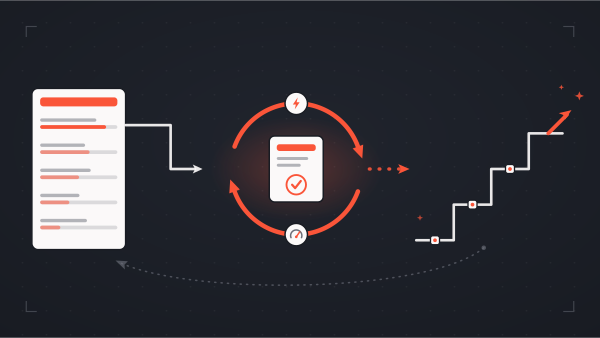
A release playbook is a documented, step-by-step plan that outlines exactly what needs to happen during a software deployment—including who's responsible, what commands to run, how to test each step, and how to roll back if something goes wrong.
The goal is simple: eliminate guesswork and reduce deployment anxiety by thinking through every scenario before you hit deploy.
This guide covers:
- The 8 essential components every release checklist needs
- How to identify and mitigate deployment risks
- Rollback strategies when things go wrong
- Best practices from 100+ production deployments
Why Do You Need a Release Playbook?
Releasing code is rarely as straightforward as hitting a "deploy" button.
Consider everything that might need to happen:
- Database migrations
- Data modifications or backfills
- Background jobs that need to be triggered
- Infrastructure changes to support new features
- Environment variable updates
- Third-party service configurations
Attempting to keep all of these details straight in your head during a high-pressure deployment is, at best, chaotic—and at worst, a recipe for production incidents.
The core problem: Complex releases have too many moving parts to manage mentally. Without documentation, you're relying on memory during the most stressful moment of the development cycle.
A release playbook solves this by forcing you to think through the entire process before you're in the hot seat. It becomes a source of truth that can be shared with team members and stakeholders, communicating timeline, responsibilities, and expectations.
What Should a Release Checklist Include?
Every step in your release workflow should include these 8 components:
The 8 Essential Components of a Release Playbook Step
Let's break down each component:
1. Step Description
The description should be clear, actionable, and ordered. Anyone on your team should be able to follow it without additional context.
Bad: "Update the database"
Good: "Run migration 20250312_add_status_to_orders to add the status column to the orders table. This must complete before Step 3."
2. Responsible Party
You might not be the person responsible for executing every step. It could be another developer, infrastructure team, or QA. Outlining responsibilities—and communicating them in advance—ensures everyone knows their role.
3. Executables (Commands and Code)
Document the exact commands or scripts that need to run. This eliminates typos and spur-of-the-moment errors during a high-pressure deployment.
4. Testing Plan
For each step, describe how you'll know it succeeded or failed. This is critical for multi-step releases—you need confidence that Step 2 worked before executing Step 3.
Example testing criteria:
- Query returns expected results
- Log shows "Migration completed successfully"
- Health check endpoint returns 200
- Feature flag is active in admin panel
5. Associated Risks
Every step carries risk. While you can't list every possibility ("the internet explodes"), focus on risks within your control that you can mitigate.
Common deployment risks:
- Process exceeds memory quota
- Migration takes longer than expected
- Data transformation produces unexpected results
- Dependent service is unavailable
- Cache invalidation fails
6. Risk Mitigation Plan
For each identified risk, document what you can do to reduce its likelihood or impact.
7. Rollback Procedure
Sometimes things go wrong despite careful planning. Your rollback procedure should be specific and ordered—database rollbacks especially must happen in the correct sequence.
Critical: Document rollback steps in reverse order of execution. If Step 3 depends on Step 2, you must roll back Step 3 before Step 2.
Example rollback checklist:
- Revert application code to previous version (Git tag:
v2.3.1) - Roll back database migration:
rails db:rollback STEP=1 - Clear application cache:
rails cache:clear - Verify health check passes
- Notify stakeholders of rollback
8. Notes Section
Maintain a dedicated space for observations during the release. Document:
- Actual execution time vs. estimated
- Unexpected warnings or behavior
- Adjustments made on the fly
- Lessons for next time
These notes are invaluable if you need to roll back and re-release later.
How Do You Identify and Mitigate Deployment Risks?
Risk identification happens in two phases: before you write the playbook and while reviewing it with your team.
Pre-Playbook Risk Assessment
Ask yourself:
- What data will this release modify?
- What happens if the release fails midway?
- Are there external dependencies (third-party APIs, services)?
- What's the blast radius if something goes wrong?
- Can this release be reversed, or is it a one-way door?
Team Review Risk Discovery
Share your playbook with teammates before the release. Fresh eyes often catch risks you've overlooked. At The Gnar, we've found that "mob review sessions"—where multiple engineers review the playbook together—surface issues that individual review misses.
Risk Mitigation Strategies
How Do You Roll Back a Failed Deployment?
A rollback plan isn't optional—it's your safety net when things go wrong.
When to Trigger a Rollback
Define clear criteria for when to roll back vs. when to push forward and fix:
Roll back if:
- Core functionality is broken for users
- Data integrity is compromised
- Performance degradation exceeds acceptable thresholds
- Fix would take longer than rollback + re-deployment
Push forward if:
- Issue is cosmetic or low-impact
- Fix is quick and well-understood
- Rollback would cause more disruption than the fix
Git Strategies for Rollback
Git is your most important tool for managing rollbacks. Key strategies:
1. Use Tags to Mark Release Points
# Before deploying
git tag -a v2.4.0-pre-release -m "State before 2.4.0 deployment"
git push origin v2.4.0-pre-release

# If rollback needed
git checkout v2.4.0-pre-release
2. Create Archive Branches
# Archive current main before major release
git checkout main
git checkout -b archive/main-before-2.4.0
git push origin archive/main-before-2.4.0
3. Use Git Revert (Not Reset) for Production
# Revert preserves history and is safer for shared branches
git revert <commit-hash>
git push origin main
Database Rollback Considerations
Database rollbacks require special care:
- Order matters: Roll back in reverse order of application
- Data migrations may not be reversible: If you transformed data, you need backups
- Test rollback procedures in staging: Don't discover problems in production
- Consider "expand and contract" patterns: Add new columns without removing old ones until the release is stable
What Are Best Practices for Production Deployments?
Beyond the playbook itself, these practices significantly improve deployment outcomes:
Choose the Optimal Deployment Window
Use monitoring data to identify when your application has the lowest traffic. Benefits:
- Fewer users impacted if something goes wrong
- Less pressure on the team
- More time to monitor before peak usage
Common low-traffic windows:
- Early morning (before business hours)
- Late evening (after peak usage)
- Weekends (for B2B applications)
Communicate the Plan Broadly
Your playbook isn't just for the deployment team. Share it with:
Set up a calendar invitation so everyone knows exactly when the release is happening.
Set Up Logging and Monitoring Before You Deploy
A well-tuned logging and monitoring system is invaluable. You need visibility into:
- Application performance (response times, error rates)
- Infrastructure health (CPU, memory, disk)
- Business metrics (transaction success rates, user activity)
Recommended tools:
- Logging: Papertrail, Datadog Logs, CloudWatch
- APM: New Relic, Datadog APM, Scout
- Error tracking: Sentry, Bugsnag, Rollbar
Pro tip: Add explicit log statements in complex code paths. A log message saying "Payment processing step 3 completed" is more useful during a deployment than generic framework logs.
Lean on Your Team
If you have a team, use them:
- Pair deploy: Have a second engineer watching alongside you
- Mob review: Review the playbook as a group before release day
- Escalation plan: Know who to call if you need help at 2 AM
Practice in Staging First
For complex releases, do a full dress rehearsal in staging:
- Follow the playbook exactly as written
- Time each step
- Note any issues or unclear instructions
- Update the playbook based on learnings
- Then deploy to production
Release Playbook Template
Use this template as a starting point for your own playbooks:
# Release Playbook: [Feature/Version Name]

## Release Overview
- **Target Date:** [Date and time]
- **Deployment Lead:** [Name]
- **Estimated Duration:** [Time]
- **Rollback Deadline:** [Time by which we must decide to roll back]

## Pre-Release Checklist
- [ ] Playbook reviewed by team
- [ ] Stakeholders notified of timeline
- [ ] Backups created
- [ ] Monitoring dashboards open
- [ ] Rollback procedures tested in staging

## Release Steps

### Step 1: [Step Name]
- **Description:** [What happens]
- **Responsible:** [Who]
- **Commands:**
```bash
  [commands to run]
```
- **Success Criteria:** [How we know it worked]
- **Risks:** [What could go wrong]
- **Mitigation:** [How to reduce risk]
- **Rollback:** [How to undo]
- **Notes:** [Space for observations]

### Step 2: [Step Name]
[Repeat structure]

## Post-Release Verification
- [ ] Health checks passing
- [ ] Key user flows working
- [ ] No elevated error rates
- [ ] Performance within acceptable range

## Rollback Procedure
[Ordered steps to revert the entire release]

## Contacts
- **Deployment Lead:** [Name, phone]
- **Escalation:** [Name, phone]
- **Stakeholder:** [Name, contact]
FAQ: Software Release Planning
What should be included in a deployment checklist?
A deployment checklist should include: step descriptions, responsible parties, associated commands/executables, testing criteria, identified risks, mitigation strategies, rollback procedures, and a notes section for observations. Each step should be clear enough that any team member could execute it.
When is the best time to deploy to production?
The best time to deploy is during your application's lowest-traffic period. Analyze your monitoring data to identify these windows. Common choices include early morning before business hours, late evening after peak usage, or weekends for B2B applications. The goal is to minimize user impact if something goes wrong.
How do you roll back a failed deployment?
To roll back a failed deployment: (1) Use Git tags to mark pre-release state, (2) maintain archive branches for easy restoration, (3) use git revert rather than git reset on shared branches, (4) execute rollback steps in reverse order of the original deployment, and (5) restore database backups if data was modified.
What tools help with release monitoring?
Key tools for release monitoring include logging platforms (Papertrail, Datadog Logs), APM tools (New Relic, Datadog APM), and error tracking services (Sentry, Bugsnag). Add explicit log statements in complex code areas to indicate step success or failure during deployment.
How do you handle database migrations in a release?
Handle database migrations carefully by: (1) running them during low-traffic periods, (2) creating backups before any data transformation, (3) using the "expand and contract" pattern when possible (add new structures before removing old ones), (4) testing migration rollbacks in staging, and (5) documenting the exact sequence of operations.
What's the difference between a release playbook and a runbook?
A release playbook is a one-time document for a specific deployment, covering the steps needed to release a particular feature or version. A runbook is an ongoing operational document that covers recurring procedures like incident response, maintenance tasks, or standard deployments. Release playbooks are disposable; runbooks are living documents.
How long should a release playbook be?
A release playbook should be as long as needed to eliminate ambiguity, but not longer. Simple releases might need only a one-page checklist. Complex releases involving database migrations, infrastructure changes, and multiple services might require 5-10 pages. The test: can someone unfamiliar with the release follow the playbook without asking questions?
About This Guide
This playbook methodology was developed by engineers at The Gnar Company, a Boston-based software consultancy specializing in Ruby on Rails, React, and React Native development. The approach is based on lessons learned from 100+ production deployments for clients including AARP, Johns Hopkins University, WHOOP, and Qeepsake.