
Upon learning of asdf plugins for backing services like Postgres, Redis, Elasticsearch and others, my first question was whether and to what extent it could replace Docker for providing those services in local development, where asdf already shines for versioning.
The first obstacle for most users will be that asdf has no equivalent of docker compose up for booting and monitoring an entire local environment. Brainstorming the matter with a colleague, he pointed out we were essentially proposing Foreman. A few moments later he found this:
Managing Ruby on Rails development dependencies with asdf and foreman
[Note: We're talking about Foreman, not The Foreman.]
From the oldie-but-a-goodie department: Foreman is a simple tool that reads a list of command line tasks from a file, starts them, feeds their output to stdout with some nice formatting, and eventually shuts them down when you exit the process; i.e., exactly what asdf doesn't provide. As outlined above, there isn't even really any "integration" necessary for asdf and Foreman to play nicely. They just do their own things correctly.
I've been using the approach above where possible for a couple of weeks now, and it's nice. (Be sure to note the trick in the blog post for running Postgres under Foreman control!) Docker is, among other things, a significant resource commitment for local development. On a Mac, you're spinning up an entire separate Linux instance to run software that MacOS is quite capable of running itself. This might be a good tradeoff; for many the benefit of standardizing developer experience or duplicating an idiosyncratic production environment will outweigh other considerations. But for individual developers looking for lightweight solutions-or to avoid duplicating functionality already provided by the kernel, the shell, asdf and various language-specific dependency managers-this solution is very much worth a look.
Streamlining#
I created the following in ~/bin/app, which will probably get (a little) more clever over time:
#!/usr/bin/env zsh

foreman start -f Procfile.local
I used Procfile.local to prevent conflicts with applications that already have a Procfile for production. In this case we're booting a Phoenix project using Postgres and Redis:
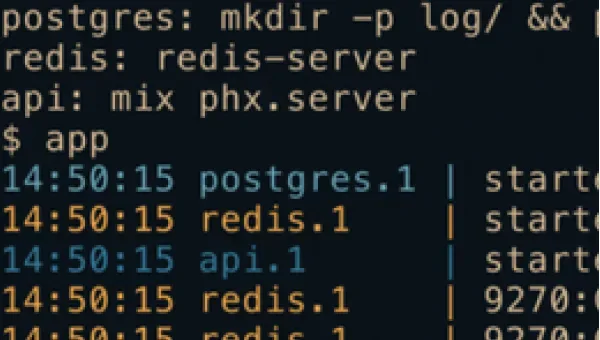
postgres: mkdir -p log/ && postgres-local
redis: redis-server
api: mix phx.server
Meanwhile in .tool-versions:
elixir main-otp-24
erlang 24.2
postgres 14.1
redis 6.2.6
Booting the application is nice and simple:
$ app
17:05:22 postgres.1 | started with pid 12345
17:05:22 redis.1    | started with pid 12346
17:05:22 api.1      | started with pid 12347
[...logging continues, ctrl-c to exit...]
Which asdf commands changed in version 0.16?#
asdf 0.16.0 renamed or removed several commands, so setup steps written for older versions can fail. Hyphenated commands such as asdf plugin-add are gone. asdf set replaced both asdf local and asdf global. The asdf shell and asdf update commands were removed. The release is a complete rewrite of asdf in Go, and the asdf upgrade guide lists each change.
This post says asdf and Foreman need no special glue: "They just do their own things correctly." The Procfile above calls no asdf command. Only the steps that add plugins and pin versions need the new spelling.
| Before 0.16 | On 0.16 and later |
|---|---|
asdf plugin-add postgres | asdf plugin add postgres |
asdf local <name> <version> | asdf set <name> <version>, which writes .tool-versions in the current directory |
asdf global <name> <version> | asdf set -u <name> <version>, which writes .tool-versions in your home directory |
asdf shell <name> <version> | Removed. Set a version variable such as ASDF_ELIXIR_VERSION in that shell instead. |
asdf update | Removed. Update asdf with your OS package manager or download the latest binary. |
On 0.16 or later, these commands add both plugins and install the tools. asdf install <name> installs that tool at the version your .tool-versions file specifies, so run it in the directory that holds your file. Pin a PostgreSQL major version the PostgreSQL Global Development Group still supports; PostgreSQL's versioning policy page lists each version's final release date. Install the Postgres build dependencies first; the troubleshooting list below names them.
asdf plugin add postgres https://github.com/smashedtoatoms/asdf-postgres.git
asdf plugin add redis https://github.com/smashedtoatoms/asdf-redis.git
asdf install postgres
asdf install redis
asdf install with no name would install every line of the file. That includes Elixir and Erlang, which need their own plugins first.
You can move an existing machine to the new asdf and keep your installed versions. The upgrade guide says you can upgrade without losing your existing install data. Download the new binary and place it in a directory on your PATH. Set ASDF_DATA_DIR to the value asdf info reports. Put $ASDF_DATA_DIR/shims at the front of your PATH. Remove the old line that sources asdf.sh from your shell startup file. Then open a new shell and run asdf --help. The guide says to check that it shows 0.16 or later. After that, run asdf reshim. The guide says old shims may still point at the Bash version.
The guide also lists old files you may delete after the upgrade. It says to keep the downloads, installs, plugins and shims folders. With the asdf postgres plugin, each version's database sits inside installs, so that folder holds your data.
Can asdf and Foreman replace Docker Compose for Postgres and Redis?#
For one project on one machine, yes, once you add the step Foreman leaves out: waiting until Postgres accepts connections. By default, Foreman starts one instance of every Procfile line. Its man page lists no option that orders startup or makes one process wait for another. Docker Compose can hold the app back until the database passes a health check.
The table below sets the two side by side. This post's reason to try asdf sits in the first row. It calls Docker "a significant resource commitment for local development."
| Question | asdf and Foreman | Docker Compose |
|---|---|---|
| Where Postgres runs | A native process on your machine | A container. On a Mac, Docker Desktop runs containers in a Linux VM. |
| Start everything | foreman start -f Procfile.local | docker compose up |
| Wait for the database | A pg_isready loop in the app's Procfile line | depends_on with condition: service_ and a healthcheck |
Docker's startup order guide says Compose waits until a container is running. It does not wait until the container is ready. With condition: service_healthy, a service waits for its dependency's healthcheck to pass.
Under Foreman, make the app wait itself. pg_isready checks whether a PostgreSQL server accepts connections. It exits with 0 when the server is accepting them. The -q flag hides the status message, which suits a script. Put a loop at the front of the app's line:
api: until pg_isready -q; do sleep 1; done && mix phx.serverThe line chains commands with &&, as the post's postgres line already does. asdf creates shims for every executable in an installed package, so pg_isready is on your path. If Postgres listens on a port other than the default, add -p with that port.
Should you run the Procfile with Foreman, Overmind or bin/dev?#
Use Foreman when one stream of output is enough, and Overmind when you often restart one process, such as the app server, and want Postgres to keep running. Use bin/dev when your Rails app was set up with jsbundling-rails, which already adds it. All three run processes from a Procfile, so you can switch tools without rewriting your process lines. Foreman interleaves the output of every process in one stream. Overmind starts each process in a tmux session, so you can attach to one or restart it alone. The bin/dev script from jsbundling-rails is a short wrapper that runs Foreman.
| Tool | How it runs your processes | What it needs |
|---|---|---|
| Foreman | One instance of each line, with all output interleaved on stdout. -f picks the Procfile. | The foreman gem. Its README says to keep it out of your project's Gemfile. |
| Overmind | Each process in a tmux window. overmind connect <name> attaches to one, and overmind restart <name> restarts one. | tmux. Overmind runs on Linux, BSD and macOS only. |
bin/dev from jsbundling-rails | Runs foreman start -f Procfile.dev, and installs foreman first if it is missing. | A Procfile.dev file. |
This post already keeps its development processes apart from production. In its words: "I used Procfile.local to prevent conflicts with applications that already have a Procfile for production." jsbundling-rails keeps them in a separate file too, named Procfile.dev. Overmind reads the post's file the same way Foreman does, with overmind start -f Procfile.local.
Future possibilities, difficulties, etc.#
The main pain point I see is running multiple applications simultaneously. Docker virtualizes an entire operating system, so if you have two applications, A and B, which both use the same version of (say) Postgres, they still get entirely separate installations, data directories, port 5432 to bind, and so on. With this approach, you have one version of Postgres.
One answer is to separate out the runtime specifics of the service from the codebase, which will presumably depend on the nature of the service itself, but follow a general shape:
- Environment variables
- Configuration files
- Persistent data storage (your database)
- Temporary data storage (logging, lock files)
If you can specify those uniquely for each instance in Procfile.local, it's likely feasible to run multiple instances of the same service simultaneously. My own research into that will occur when/if I need to run several unrelated applications simultaneously, which is not usually how I work.
Should you use mise instead of asdf, and can it run several projects?#
Try mise if you want versions and services in one config, and stay on asdf if your team already uses it. PostgreSQL itself allows more than one server on one machine, each with its own data area and port. mise's daemons feature, which its docs mark experimental, can give each Git worktree of one repository its own database and ports. Its worktrees docs add that automatic ports come from paths, so different projects can get the same port. So yes, with one step: when another project already runs a daemon on that port, the start fails with an error, and you change one project's base port or stop the other daemon.
mise reads the same .tool-versions file and can run asdf plugins, so one project can move while teammates stay on asdf. It installs its own copies of each tool. Its migration guide says the two managers must not share an install directory.
| Task | asdf | mise |
|---|---|---|
| Install a version | asdf install <name> <version> | mise install <tool>@<version> |
| Pin a project version | asdf set <name> <version> | mise use <tool>@<version>, which also installs it |
| Add a plugin | asdf plugin add <name> | Not needed for registry tools |
mise set does not match asdf set. It sets environment variables. Use mise use for tool versions. While teammates still use asdf, update the shared file with mise use --path .tool-versions --pin <tool>@<version>.
This post names its main open problem: "The main pain point I see is running multiple applications simultaneously." PostgreSQL's server docs allow more than one server on one machine. Each needs a different data area and a different port. The data area comes from the -D option or the PGDATA variable, and there is no default.
mise's development stack guide goes further. A daemon can use a postgres preset with an automatic port. Each Git worktree then gets its own database and ports. A Redis preset exists too. The guide marks daemons experimental. Its local proxy carries HTTP traffic only.
Why does asdf install postgres fail, and where does the data live?#
asdf install postgres fails when the build libraries its README lists are missing, because the asdf postgres plugin compiles Postgres from source. The same README puts the database files inside the version's install directory. So move your data before you remove that version. Work through these four checks in order.
- Install the dependencies first. The README lists openssl, libreadline, zlib, curl, uuid, and icu4c on macOS or icu-devtools on Linux. It gives an install line for each platform.
- Start Postgres yourself. The README's steps run
pg_ctl startafter the install, because asdf only installs it. This post points at the same step: "Be sure to note the trick in the blog post for running Postgres under Foreman control!" That trick is abin/postgres-localscript. It runspg_ctl start, follows the log, and runspg_ctl stopwhen Foreman stops it. - Stop the server, then move the data before removing a version. PostgreSQL's backup page says the server must be shut down to get a usable copy of its files. The data sits in a path like
~/.asdf/installs/postgres/<version>/data. After a move, start it withpg_ctl -D <path> start. PostgreSQL's upgrading page says the internal data storage format is subject to change in major releases. To move data to a new major version, it names dump and restore, orpg_upgrade. On the plugins page, asdf says removing a plugin removes every installation made with it. - Check which version asdf picked.
asdf current postgresshows the version in use.asdf which pg_ctlshows the path of the executable it runs.asdf where postgresprints the install path, and the data folder sits inside it.
Redis asks less of you. The asdf redis plugin README calls it a bare bones install with no configuration and no restart setup, just the binaries. It needs a compiler to build, and the post's redis: redis-server line starts it.
Credit where credit is due#
Big h/t to Kassio Borges for having thought of this before any of us over here. That link again: Managing Ruby on Rails development dependencies with asdf and foreman
Learn more about how The Gnar builds software.